


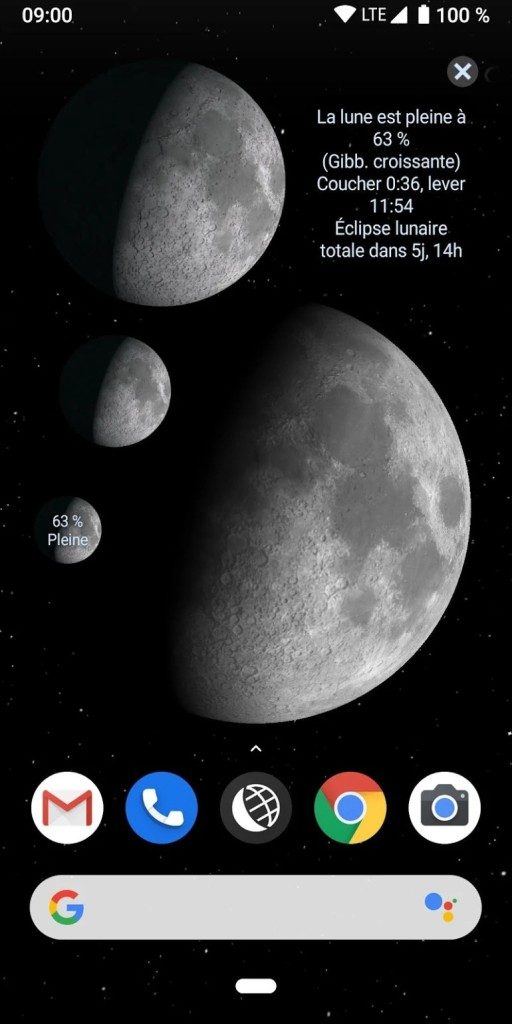
Lunescope was formerly known as Phase Lunaire Pro. This is more than just a moon tracker. It is a scientific tool for those who observe the night sky. This app focuses on the cycles of the moon. It helps users to see when the moon rises and sets of the moon. It also tracks certain celestial phenomena, such as eclipses.
The user interface is very clean. Suitable for both casual observers and serious astronomers. You can display the moon phase for any date. The information is reliable. This is important because the moon affects tides, animal behavior, and human culture. This application visualizes this connection.
Why Lunescope is Essential for Lunar Studies
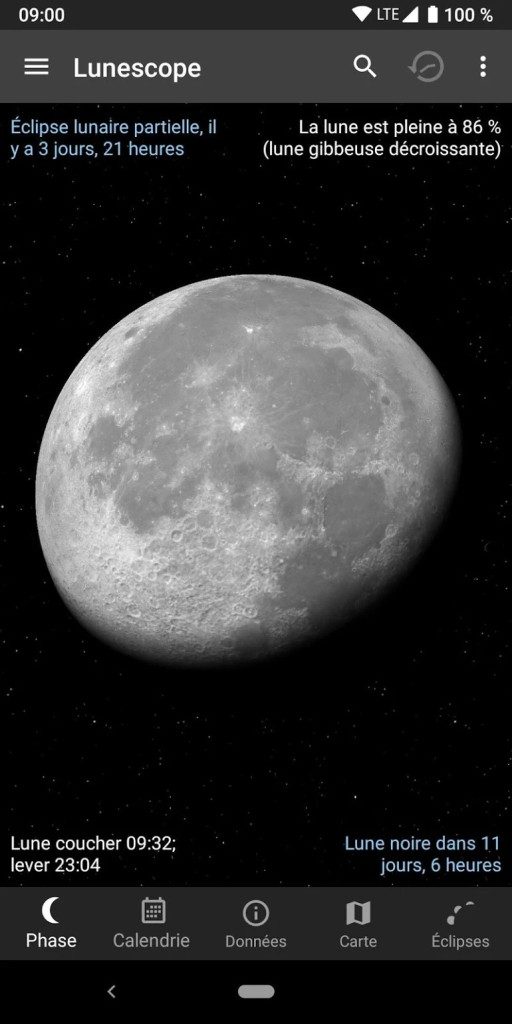
This app is more than just photos. It shows real-time phases. You can predict the time of moonrise and sunset. The application shows the exact times of important moments. This includes the new moon. the first quarter. Full moon. Last quarter.
This precision is very useful. Helps plan observation sessions. Useful for photography. You know exactly when to look up. The educational aspect is strong. Explain complex phenomena. Arouses people’s curiosity about space.
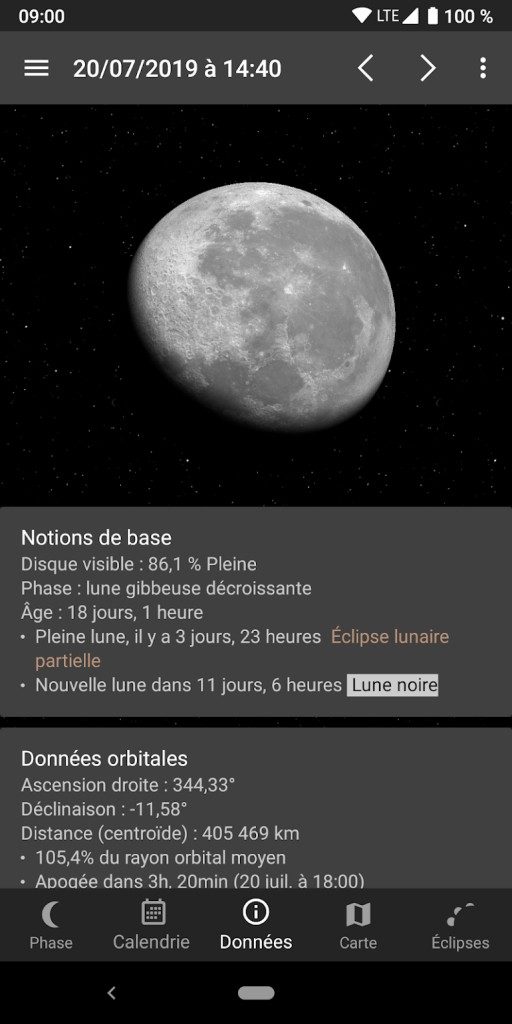
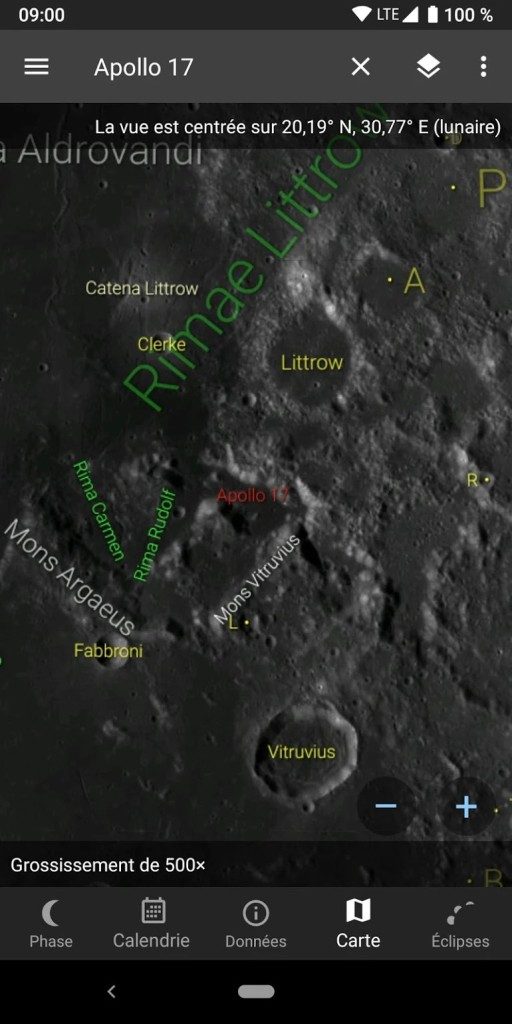
The application provides detailed indicators. You will receive libration data. Now you can see how the moon wobbles. Find out the distance to Earth. This varies with the moon’s orbit. You can check visibility based on your current location. Track the length of the current lunation’s length. These details turn a glance into a study.
Lunescope has established itself as an irreplaceable partner in exploring the Moon from every angle.
How to download and install Lunescope for Android
Lunescope is for Android devices only. It cannot be used with iPhone. There is no Windows version. There are no MacOS apps. Linux is not supported. If you have an Apple device, you need to look elsewhere.
The app is free on Google Play. Installation is standard. Open the store. Find the app. Click Install. Follow the instructions. This will take a few seconds. Apps require access to location data. This is necessary for accurate calculations. Moon phase times vary depending on your location. The requirements are minimal. It is not invasive.
This process is safe. No special technical skills required. Suitable for beginners. For professionals.
Pricing and Premium Features
The basic app is free. Includes most core functions. Phase monitoring is possible. You can get predictions about events. This is enough for many users.
There is a pro version. This costs money. Prices vary. You can also pay a one-time fee. You can order monthly. Premium level removes ads. Additional tools will open. The costs are also reasonable. Support developers.
Students and teachers check for discounts. Educational use may be eligible for benefits. This allows the application to be used in the classroom. It provides a bridge between science and everyday life.
The landscape of lunar applications is very crowded. Lunescope stands out for its depth. The display is not cluttered. We focus on data. It respects science.
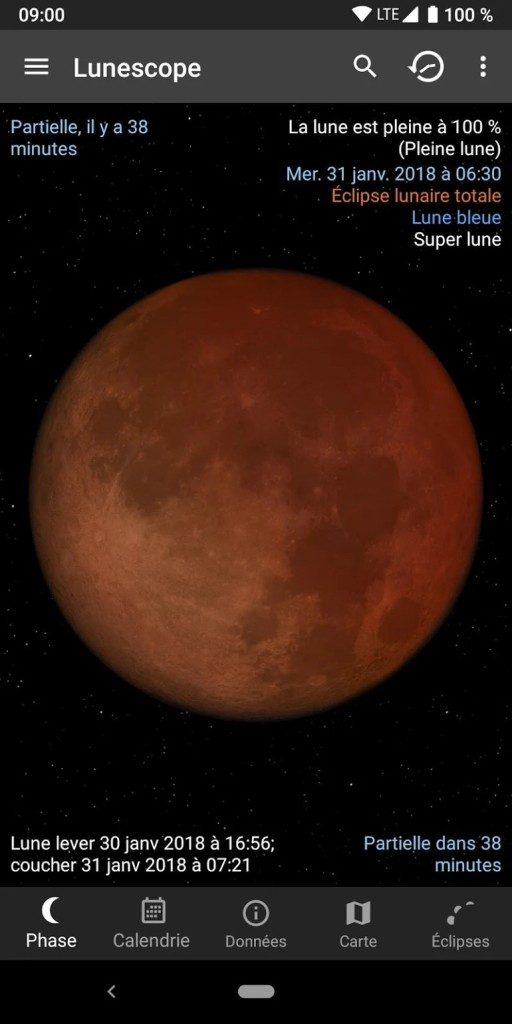
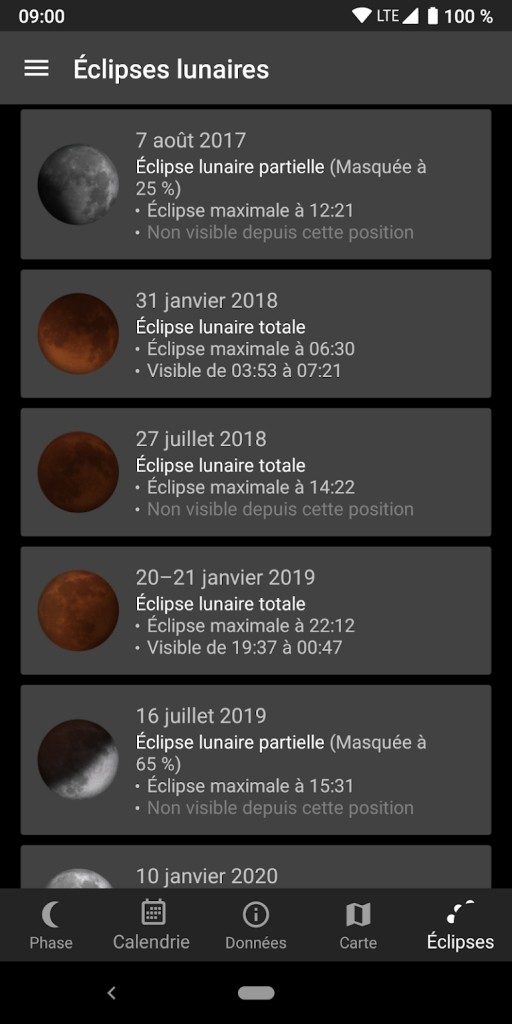
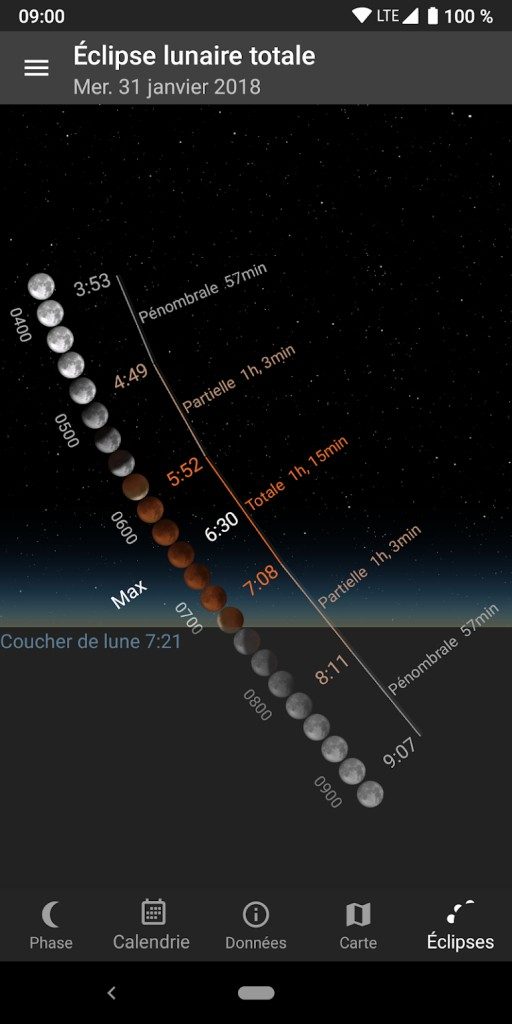
What will happen when the next total lunar eclipse occurs in your time zone? You don’t just need a calendar. Accuracy is required. Lunescope provides this. Convert the night sky into easy-to-read charts. It makes you feel closer to the universe.
This app does not promise to change the sky. It just helps you read. It’s a subtle but powerful difference. You look up. You see the data. You understand this moment.
For now, it’s only for Android. If there are any changes, the update notes will tell you with update notes. Until then, it’s in your pocket. This is a mobile observatory. Always ready.

Why Lunescope focuses on the moon better than standard star charts
Most astronomy apps try to do it all. These help map the entire sky, track planets and identify constellations. Stellarium Mobile and SkySafari are perfect for this wide range of uses. But if your goal is strictly the Moon, these tools often bury unnecessary information.
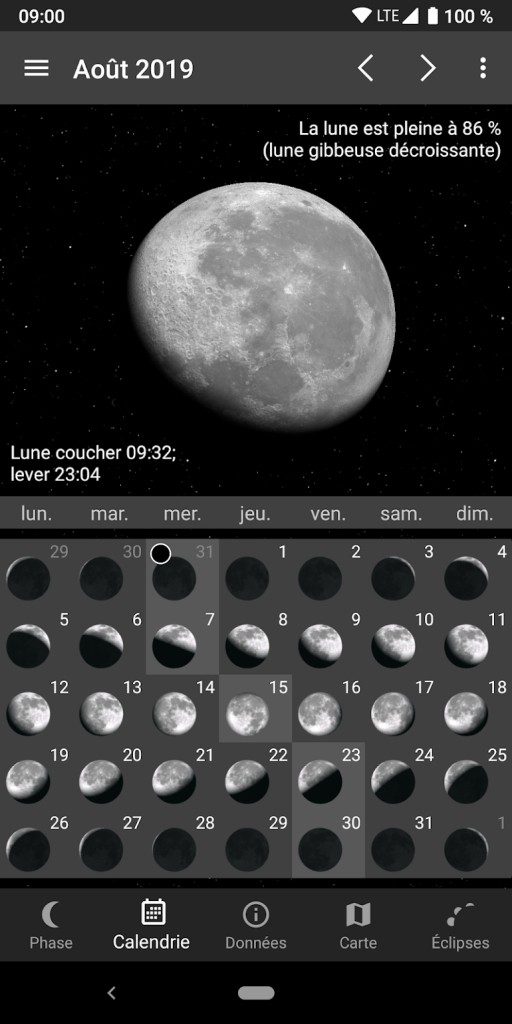
Lunescope takes a different path. This is an Android lunar observation app that ignores the rest of the sky and focuses entirely on the night’s primary object at night. The interface is stripped back. No clutter. Just the specific parameters are important for lunar research. This specialization makes it the perfect tool for users who need a precise cycle visualization instead of a generic star map.
This focus is not only aesthetic. It has a practical use. Whether you’re tracking the changing phases of the moon, searching for the best exposure settings for astrophotography, or trying to understand complex events like supermoons and blue moons, generic apps often aren’t enough. They list the Moon as another data point. Lunescope treats it as the subject.
Keeping Your Lunar Data accurate and up to date
Software rotates. Astronomy moves. Current information is required to get the most out of this Android lunar observation app. Orbital mechanics don’t wait for manual checks.
The most reliable way is to enable automatic updates via Google Play. This way you always have the latest astronomical calculations. Manual verification also works if you want to be in control. pull down on the store page or check the in-app settings.
In some cases, you may need an older version. Maybe your device is old. Certain features may be deprecated in the latest version and you may be dependent on them. In such cases, you can download the previous APKs from a trusted source. Do this carefully. Only revert to older builds if for compatibility or a specific feature.
There are no official certification programs here. Lunescope does not offer formal curriculum. But the ecosystem around it is strong. There are many tutorials online. An active forum brings together enthusiasts to share tips on equipment setup and observation techniques. The learning curve is low, but the community knowledge is deep.
Using the App for Science and Education
The utility of this software extends far beyond casual stargazing. It has found a niche in educational and amateur research settings.
高中和大学教师用它来说明复杂的概念。 实时可视化有助于解释月球的会合旋转。 它阐明了月球引力如何驱动潮汐。 它使日食变得有形而不是抽象。 该应用程序将被动阅读转变为互动参与。 学生不仅要记住事实,还要记住事实。 他们正在观察机制的发挥。
业余天文学家和天文摄影师依赖其预测能力。 计划拍摄需要精确。 准确地知道超级月亮何时出现在地平线或日全食何时开始,可以决定一张照片的成败。 俱乐部使用该工具来协调观察之夜。 它允许长达数月的计划周期,确保当罕见事件发生时,每个人都做好准备。
Democratizing Lunar Science
Ultimately, Lunescope bridges the gap between hard science and public curiosity. It makes lunar phenomena accessible. Users can see connections between celestial mechanics, calendars, and modern science. Anyone with an Android device can learn to read the sky, no matter where they are in the world.
This accessibility promotes a sustainable scientific culture. Promote discipline without sacrificing familiarity. It is still the hobbyist’s tool of choice. It’s not just about showing the moon. it will help you understand it. In an age of superficial digital content, this depth is worth preserving. The sky is always changing, but the tools to understand it are getting more precise.
Lunescope Specifications: Compatibility and Installation
Using Lunescope on an Android device is not complicated, but knowing the basic requirements can prevent problems later. This is more than just a download. This is a tool that works best with specific permissions and connections. Whether you’re a casual stargazer or a teacher planning a course, understanding the technical bedrock will help you set it up right the first time.
The applications are directly in the Android ecosystem. It can be found on Google Play, the only official source for safe installation. Developer history also includes rebranding, so if you see references to Phase Lunaire Pro on older forums, it’s the same software. This continuity is important for users moving from previous versions or looking for support threads.
Offline features and location services
One of the most important technical aspects of Lunescope is how it handles data. Works even offline. A real-time data connection is not required to view the phases of the moon or to check the basic ephemerides. This makes it a powerful companion for field observations where the signal is unstable or non-existent.
However, “offline” does not mean “location-agnostic”. This app requires location permission to work accurately. Why? That’s because moonrise and moonset times and visibility vary greatly depending on whether you’re in London, Tokyo, or the remote desert. Without GPS data, the calculations are general and of little use for accurate planning.
The user interface supports French, English and other languages based on system settings. This flexibility makes astronomical terminology available to a global audience without the need for translation plugins or external tools.
Installation and Maintenance
虽然核心功能可以离线运行,但仍建议使用互联网连接 。 您需要它来进行初始下载、更新以及访问应用程序可能提取的任何其他资源。 保持应用程序更新至关重要,因为天文数据会随着时间的推移而不断完善。 过时的版本可能会显示稍微不正确的月出时间,这违背了星历应用程序的目的。
该应用程序免费下载 ,但它以免费增值模式运行。 根据版本的不同,您可能会遇到应用内购买 。 这些通常会解锁高级功能或删除广告。 如果您的预算紧张,免费版本具有完整的基本观察功能。 如果您想要整洁的体验,可以选择付费选项。
Hardware and system requirements
You don’t need a flagship phone to use Lunescope. Optimized for standard Android smartphones and tablets with touchscreens. This architecture supports popular processors such as ARM and ARM64, ensuring compatibility with most devices on the market.
Permissions are as simple as:
– Location : Important for accurate time and visibility calculations.
– Notifications : Alerts and reminders of lunar events. You can modify them to suit your observing schedule.
Support is provided primarily through Google Play Store listings, in-app help resources, and community forums. Although there is no dedicated phone line, the documentation is usually clear enough for users to troubleshoot basic issues.
Preparing for the First Launch
Before you take to the skies, take a moment to prepare. Enable location services for your app. This small step ensures that the lunar ephemerides is suitable for specific coordinates. This turns the app from a general purpose calculator into a personalized observation assistant.
If you plan to use it in areas with poor connectivity, download the necessary updates when Wi-Fi is connected. Once Lunescope is installed and configured, it becomes a standalone moon tracking tool. It is reliable, lightweight and doesn’t demand much from your device’s resources.
The real value is not only in the information, but in how it is integrated into your routine. Do you check it every night? Or do you rely on it to handle certain events like full moons or eclipses? The app adapts to your usage, but only if you tell it where you are.
The initial setup can be a little tricky for some users who are wary of location permissions. This is understandable. But in astronomy, accuracy is everything. A few degrees of error in latitude can shift the
现代浏览器中的隐私悖论
您可能已经注意到这些变化。 或者也许你还没有,这正是重点。 主流浏览器正在悄然改写如何跟踪您的数字足迹的规则,这让大多数用户想知道幕后到底发生了什么变化。
Who is tracking you now?
This change is more than just blocking pop-ups. This is about dismantling third-party cookies at the infrastructure level. Chrome’s Privacy Sandbox, Firefox’s Enhanced Tracking Prevention, and Safari’s Intelligent Tracking Prevention (ITP) are all moving in the same direction, albeit in different ways.
Why is this important to you? Because advertisers lose their ability to follow you across the web with surgical precision. This does not mean giving up advertising altogether. It’s about breaking the chain of data that connects your browsing history to your real identity.
How does it affect your daily experience?
For the average user, the changes are subtle. Pages load a little faster. No more annoying ad overlays. But there are also compromises. Some websites break. Forms don’t submit. The video player freezes. This is friction of deprecation. Developers rush to update their code to use the new attribution APIs instead of relying on outdated tracking scripts.
The Internet is becoming more private by default, but also more fragmented for developers.
Which browsers are leading the charge?
Safari is the most aggressive. This ITP limits tracking data between sites to 24 hours. Firefox blocks third-party cookies by default in Standard protection mode. Chrome’s approach is slower and focuses on topic-based advertising rather than deleting cookies outright. Each browser bets on different endgame for the web.
网络跟踪的未来
我们正在转向一种以利益群体而不是个人用户为目标的模型。 这意味着广告基于您访问的页面,而不是您的整个历史记录。 这不那么令人毛骨悚然。 但对于广告商来说效率也较低。
结果呢? 感觉不一样的网络。 适应速度较慢。 更私密。 传统意义上的个性化程度较低。 您可能会注意到更多通用广告。 相关的较少。 这就是隐私的成本。 或者好处,取决于你问的是谁。
工具正在发生变化。 基础设施正在发生变化。 大多数用户在出现问题之前永远不会知道其中的区别。 然后,他们就会抱怨。


