


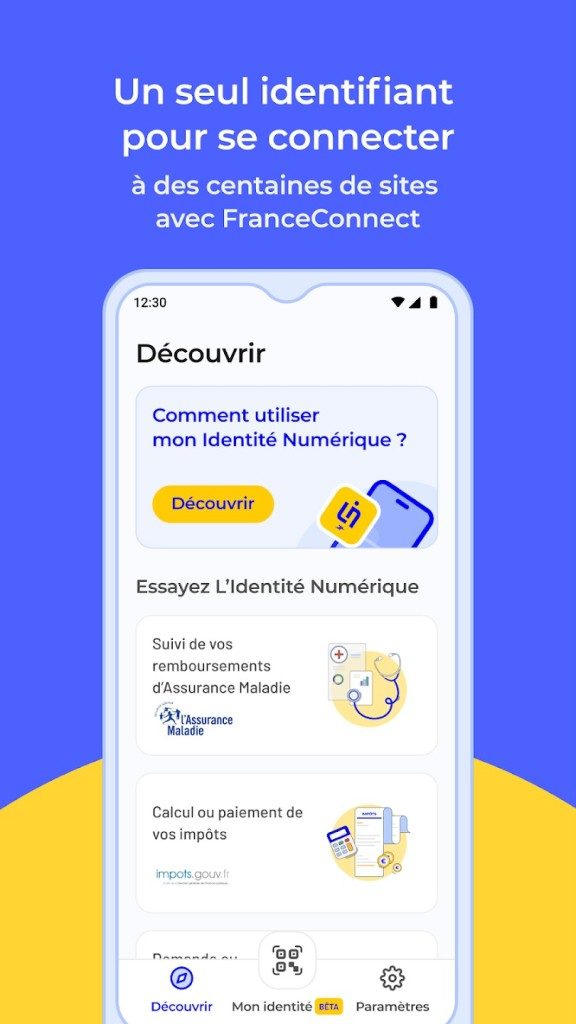
Digital bureaucracy is a mess. Scan your document. Print the form. Wait in line. This is a relic of the paper world that will never go away, but the French government is working hard to fix it. Type L’Identité Numérique La Poste. It’s more than just an app. This is the digital key.
This tool is essential for anyone over the age of 18 living in France. We confirm your identity once. You can then use this authentication to access sensitive government services. You no longer need to carry an ID card with you. No more waiting for your scanner to stop working. The goal is simple. It’s about centralizing identity proofing on the Internet. Protect your information from fraud. And let’s make the whole process really work.
Why this application is important for French citizens
You might be wondering why you need another app. The answer can be found in FranceConnect. This is the main portal for government digital services. L’Identité Numérique La Poste is integrated directly into it. When you log in through this app, you do more than just enter your password. You use highly secure and verified credentials.
This is important for three reasons. First, it reduces fraud. Fraudsters cannot easily steal mobile sessions linked to biometrics. Second, it speeds up your work. Connecting to Ameli (health insurance) or impots.gouv (taxes) takes seconds instead of days before documents are sent. Third is the feeling of security. La Poste has processed sensitive information. They add a level of trust that many other fintech startups cannot match.
The objective is to centralize and reliable the proof of identity on the internet
Installation and device compatibility
Getting an application is easy. It’s free. There are no hidden costs for account creation or daily use. You can download it from Google Play Store or Apple App Store. Available for Android and iOS. This includes iPhone and iPad.
But here’s the problem. There is no desktop version. Windows, macOS, or Linux clients cannot be downloaded. This is not an omission. This is a safety feature. Smartphones have built-in protection. Biometric scanner. PIN lock. These hardware-level security countermeasures are harder to compromise
Once the app is installed, you don’t need to open the app all the time. If you are logged in to a compatible portal such as FranceConnect, you can validate the request directly from the mobile device. The browser processes the view. Your phone handles the security. This is a hybrid approach that balances convenience and security.
Verification process: more than just downloads
Downloading the app is easy. It is important to verify your identity. La Poste does not want fake accounts. They want real people with real identities.
The process is rigorous. You have two options.
- Online Verification: Take a selfie with your ID and guided video. The system checks liveness and matches facial features. It is completely digital.
- In-Person Verification: Go to the post office. A sworn representative will confirm your identity personally. This option is suitable for people who interact with human beings or have questions about digital processes.
This two-pronged approach ensures compliance. It also builds a robust profile. Once an application is authenticated, it manages all authentication requests. It tracks your connections. If your phone is lost or stolen, you can revoke the account immediately. This prevents unauthorized access from misplaced devices.
Broader meaning
This is not just for convenience. The future of French public services is at stake. barrier to entry are decreasing as more and more sectors go online. But safety harder to compromises are rising. L’Identité Numérique La Poste is right in the middle. Easy access. It keeps the bad guys away.
Currently limited to mobile devices. As the infrastructure develops, however, more integration is expected. Even more services. Fewer paper forms. Change is happening. for those who adopt it early, the bureaucratic red tape starts to ease.
The question is not whether this will become the norm. The question is: Are you ready to give up the digital equivalent of your physical wallet? Most users end up with no choice. The system is going in this direction. If you try the speed of instant authentication once, going back may feel like you are taking a step back.
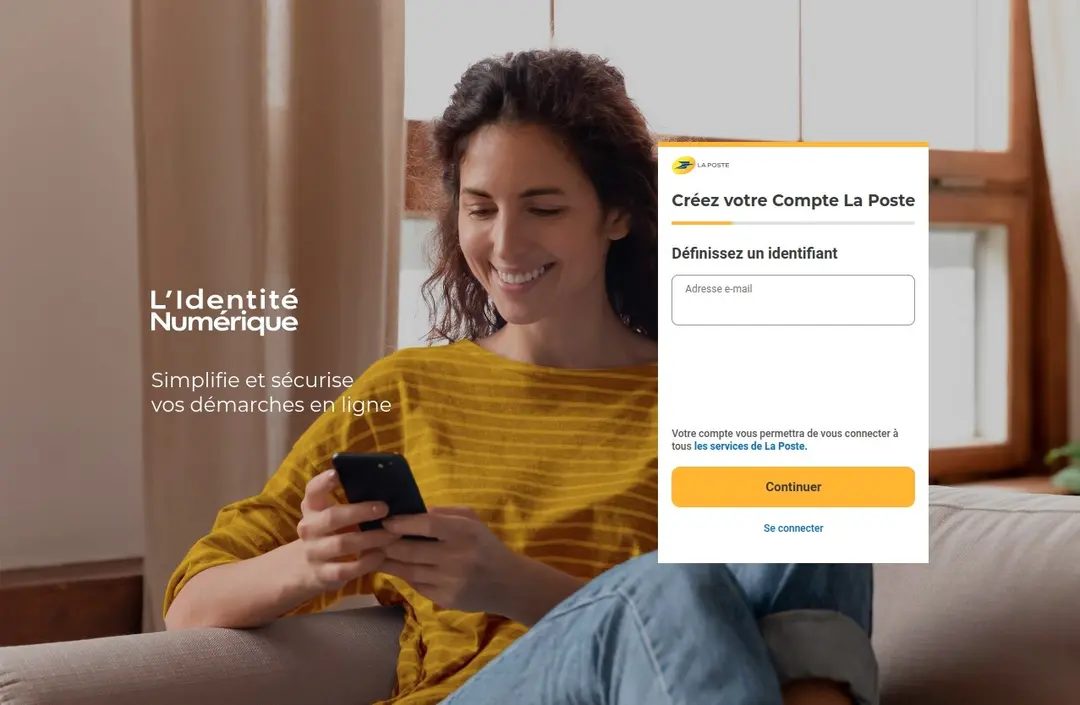

L’Identité Numérique La Poste n’est pas juste un autre outil. This is a serious attempt to bridge the gap between digital convenience and real security. The core promise is simple. Use more than 1,400 partner services online without a physical ID. This includes government portals and legally binding electronic signatures.
This architecture is based on two-factor authentication. Log in with your email or mobile phone number. Then use your smartphone to authenticate your session. This double layer makes identity theft more difficult.
How security and updates protect your data
Safety is not an afterthought here. It’s the foundation. All transactions are encrypted. The database is GDPR compliant. Your personal identification data never goes to third parties. Without your express informed consent.
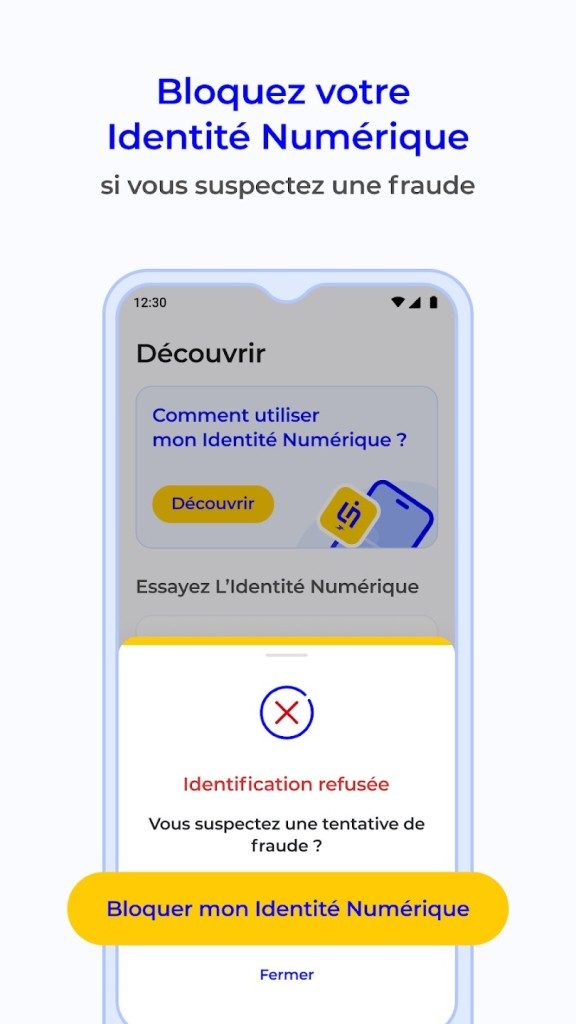
If it detects that something is wrong, the system reacts. Receive real-time alerts about suspicious login attempts and unauthorized use. You can block or cancel your digital ID immediately. This gives you control. a rigid system You aren’t locked out. You are responsible for your online presence.
Updates are very important. We recommend that you enable automatic updates for your app through the app store. Why? Because security threats are constantly evolving. Regular patches can fix vulnerabilities before they can be exploited. They also roll out new features and improves the user experience.
“Only the latest official version is supported. We recommend that you do not use older versions.”
Older versions aren’t just older; They’re risky. You may encounter access problems and a suboptimal security level. The application does not support older versions. If you want integrity, you need the latest version.
Support documentation is available. It covers installation, troubleshooting and daily use. The application itself has no specific certifications. But online support and post office staff are there. They provide assistance for any technical or information needs.
Why this solution stands out in the French market
Comparisons are inevitable. How does it compare to FranceConnect+ and private banking wallets? The answer lies in reliability and accessibility. La Poste is an operator with a long history. Its reliability is recognized. This fosters adoption among millions of users who value that reputation.
Post’s verification process is a unique feature. It adds a layer of validation. Online-only solutions can be vulnerable to document fraud. Physical authentication mitigates this risk. This is a visible check.
Other benefits are practical. The service are free. Built natively into major mobile systems. Centralize access. You don’t multiply username and password. This saves time and reduces the risks associated with weak and fragmented accounts.
Where is this going next?
Evolution continues constantly. The system adapts to technological developments and regulatory changes. The expansion of the network of partner services is underway. The ergonomics are optimized. They’re also preparing a new European digital identity standard. The European Digital Identity (EUid) framework is coming soon.
The goal is not only to administrative efficiency. It’s about becoming a reference in everyday life. Reliable and fast identification has become an important necessity. This app aims to be the standard.
It’s not perfect. No system is. However, the direction is clear. Integration. Safety. Accessibility. The pieces are falling into place. It remains to be seen whether it will become the definitive standard. However, the infrastructure is already there. Waiting for users to step up.
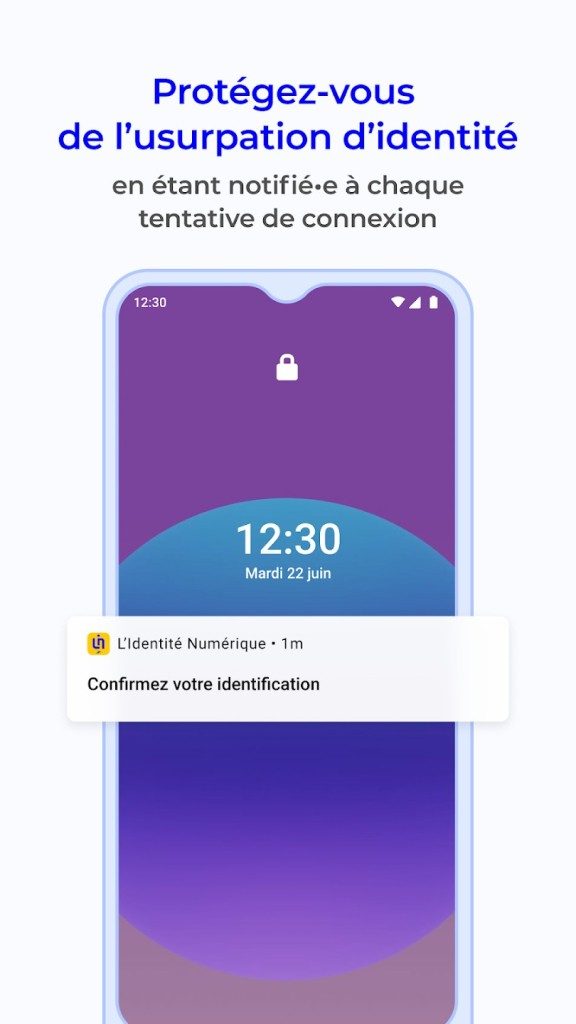

The technical reality of L’Identité Numérique La Poste is not installing another major client on your desktop. This is a mobile-first architecture. The whole process is based on confirmed identity and strong authentication, which is triggered directly from the smartphone. This design choice eliminates the need for a separate computer application. Authentication is done using biometric data or the code of the registered device.
An active Internet connection is required to complete three specific tasks: registration, verification steps, and receiving security notifications. There are no costs for the end user. Free for individuals. The service works fully within the GDPR framework, so you can control which identity attributes are shared.
Pre-Activation Requirements and Verification
Before opening the application, we need two things: a valid ID document and a valid mobile phone number. The validation process has two steps. You can do this online using your phone’s camera. Alternatively, you can do it directly at the post office.
Once your identity is verified, you can use the same ID to unlock compatible programs through FranceConnect and partner portals. Don’t feel helpless if your phone is lost or stolen. Digital IDs can be revoked remotely. This will keep your account safe even if your physical token is lost.
Specifications and compatibility
| Features | Information |
|---|---|
| Publisher | La Poste France |
| License | Free (Private) |
| Platform | Mobile Apps and Web Services |
| Operating System Support | Android • iOS (iPhone/iPad) • Web browser |
| Distribution | Google Play • Apple App Store • FranceConnect |
| Language | French |
| Target audience | Adults living in France |
| Eligibility | Identity Verification and Mobile Number Verification |
| Verification method | Two-factor on the device |
| Permissions | Push Notifications, Camera, Network Connection |
| Connection | Required for synchronization and authentication |
| Ads/In-App Purchases | None |
| Integration | FranceConnect, public services, partners |
| Account Management | Activation, pause, remote cancellation |
| Privacy | GDPR Compliant Consent Based Sharing |
| Accessibility | Android/iOS Native Features |
| Support | La Poste online support, post office support |
Why mobile is most important in terms of security
Relying on mobile devices eliminates the need to install a client on your computer. Authentication is done using biometric data or the code of the registered device. This significantly reduces the attack surface compared to password-only systems. The service are free. This is regulated by the GDPR. Users control how their data is shared.
If your smartphone has been compromised, you can revoke access remotely. This feature is important. This eliminates permanent liability if you lose your device. No ads or in-app purchases, which also eliminates common vectors for adding malicious code.
Usability and support limitations
This service supports accessibility features native to Android and iOS. A separate accessibility level is not needed. You can get help online through La Poste. You can also apply for help directly from the post office. The user interface and support are only available in French.
Integration with FranceConnect is the main gateway. Affiliate portals that accept verified identities are secondary routes. None of these will work without an internet connection. Registration fails. Notifications don’t arrive. Synchronization has stopped. The system is designed to be offline-proof and requires constant connection to critical functions.
Privacy protection
Sharing information requires express consent. This service processes data in accordance with the GDPR. You decide what attributes to share. This is not a black box. You control your digital footprint. No third-party tracking or advertising is consistent with this privacy-first approach.
Remote cancellation is a safety net. If the phone is gone, the identity isn’t. The verification process is easy. Camera-based or face-to-face. Both produce the same result: a verified identity that can be used with FranceConnect.
This ecosystem is for French residents only. For adults only. Language barriers are real. English support is not listed. However, for those who qualify, integration into public services is seamless. The mobile dependency is a feature, not a bug. Keep authentication strong. And costs drop to zero.
Why local storage beats the cloud in daily drivers
The last three parts cover the cloud. Hype. promises. The endless sync cycles. But this is a reality check that most vendors don’t provide. The data is saved to disk. That disk has limitations. There’s physics. There is a failure rate.
The cloud is just someone else’s computer. And those computers are messy.
The latency gap no one talks about
Click on the file. It loads. Probably within 200 milliseconds. Maybe after 2 seconds. The difference feels small. It isn’t.
When working locally, the feedback loop is immediate. You type. The screen responds. There is no network handshake. There are no DNS lookups. There are no server queues.
Remote desktops and virtual machines try to bridge this gap. They send pixel data over the wire. it works. Until it doesn’t. An unstable connection can turn a smooth workflow into an stuttering nightmare. You lose focus. You lose time.
Local storage removes the variable. The variable is you. This variable is your ISP. The variable is the data center’s uptime.
Security: Your keys, your castle
Cloud service providers claim to be secure. They have firewalls. Encryption at rest. Encryption in transit. They have a team of security experts working 24/7.
True.
But they also have access. legal access. Subpoena access. Accidental access.
When your data is on your own hardware, you control the perimeter. You decide who gets the keys. You decide if you back it up. Decide whether to encrypt the entire drive.
There is a trade-off. You become the security team. If you forget your password, your data will be lost. There is no reset button. Customer support will not call you to verify your identity.
Is that a risk? Yes. Is it worse than trusting your deepest secrets to a multinational corporation? This is a philosophical choice. But for many, the risk of loss is better than the risk of exposure.
The Cost of Convenience
Let’s talk about money.
Cloud storage is a subscription. Forever. You pay a monthly fee for renting the space. After 10 years, that adds up. A lot.
Local storage requires capital expense. You buy the drive. It is up to you to install it. It continues. Then buy another one.
The cost curve flattens out. Eventually, you own the capacity. The cloud never stops charging.
But wait. There is more.
Hardware degrades. Drives fail. SSDs wear out. You need to replace them. This is maintenance. The cloud service provider takes care of the maintenance. You don’t have to worry about physical disks spinning in a dark server room in Nevada.
It is convenient because you can trade money in the cloud. Trade your time and technical skills for local ownership.
When should you use hybrid power?
Most people choose neither. They choose both.
Active projects remain local. Quickly. Clear. Can also be used offline.
Your profile is saved in the cloud. It’s unnecessary. Off the field. Protected from physical damage.
This is a practical approach. It’s not clean. This is not elegant. it works.
Maintain local storage speed for your daily tasks. You can also keep cloud protection for things you never want to find.


