



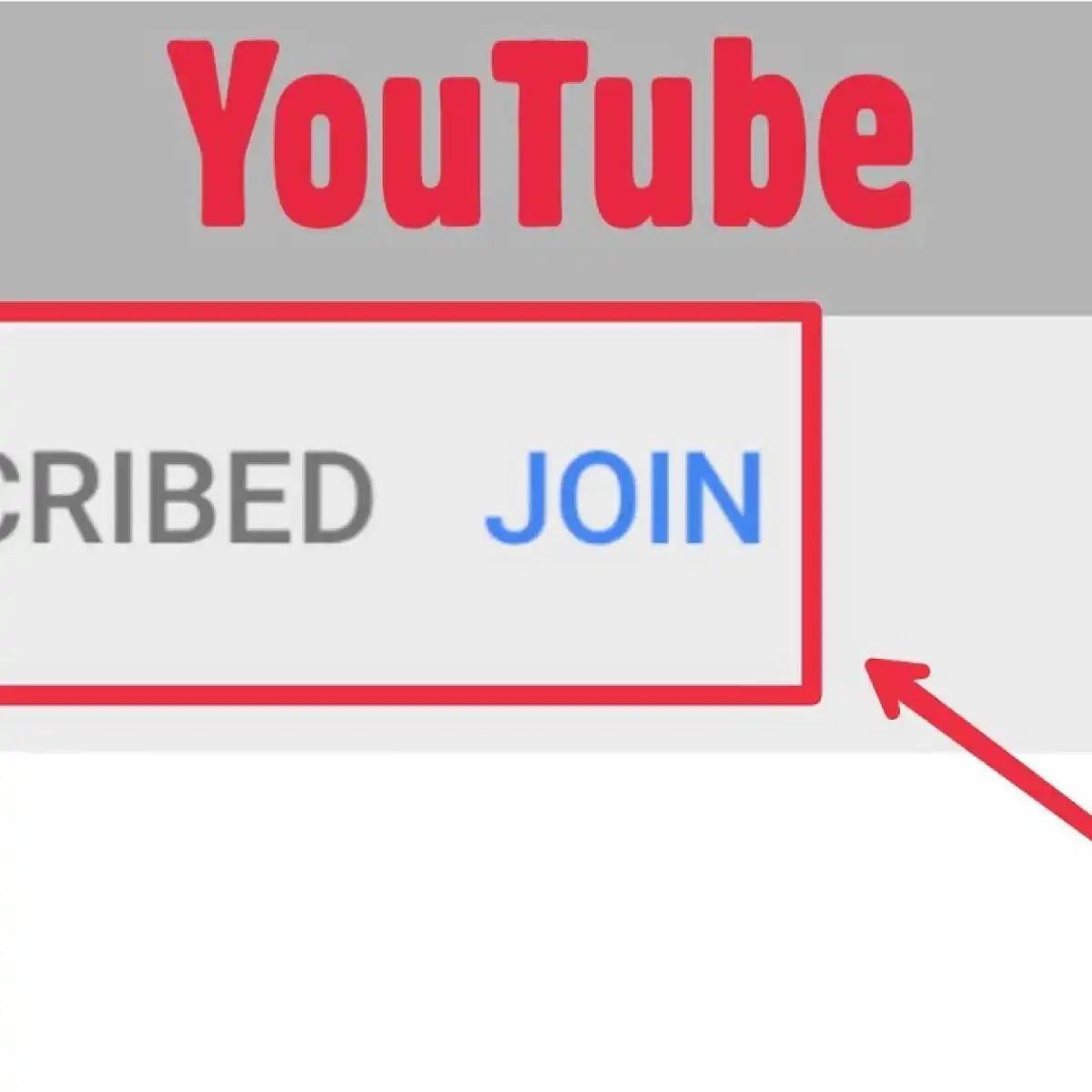
If you are tired of relying solely on ad revenue, the YouTube Join button is your new best friend. It lets you turn casual viewers into paying members who support your channel directly. No middleman takes a cut of your creativity. Just your audience, your terms.
What is the YouTube Join Button?
It is a membership feature. Viewers pay you monthly. In return, they get exclusive perks. You get steady income. It is that simple.
This feature changes how creators earn money. Instead of waiting for YouTube to show an ad, you ask for support. Fans who love your content want a direct line to you. They want to say “hey, this channel keeps me going.” The Join button lets them do that.
Who Can Use Channel Memberships?
Not everyone gets it right away. You need to meet specific requirements.
- Your channel must be part of the YouTube Partner Program.
- You need at least 1,000 subscribers.
- You must have 4,000 total watch hours in the last 12 months.
- Your channel must not have any serious Community Guidelines strikes.
- You must be in a country where memberships are available.
Once you hit these numbers, the option appears in your channel settings. You choose your membership tiers. You set your prices. You define what each tier gets.
How Do Memberships Work for Viewers?
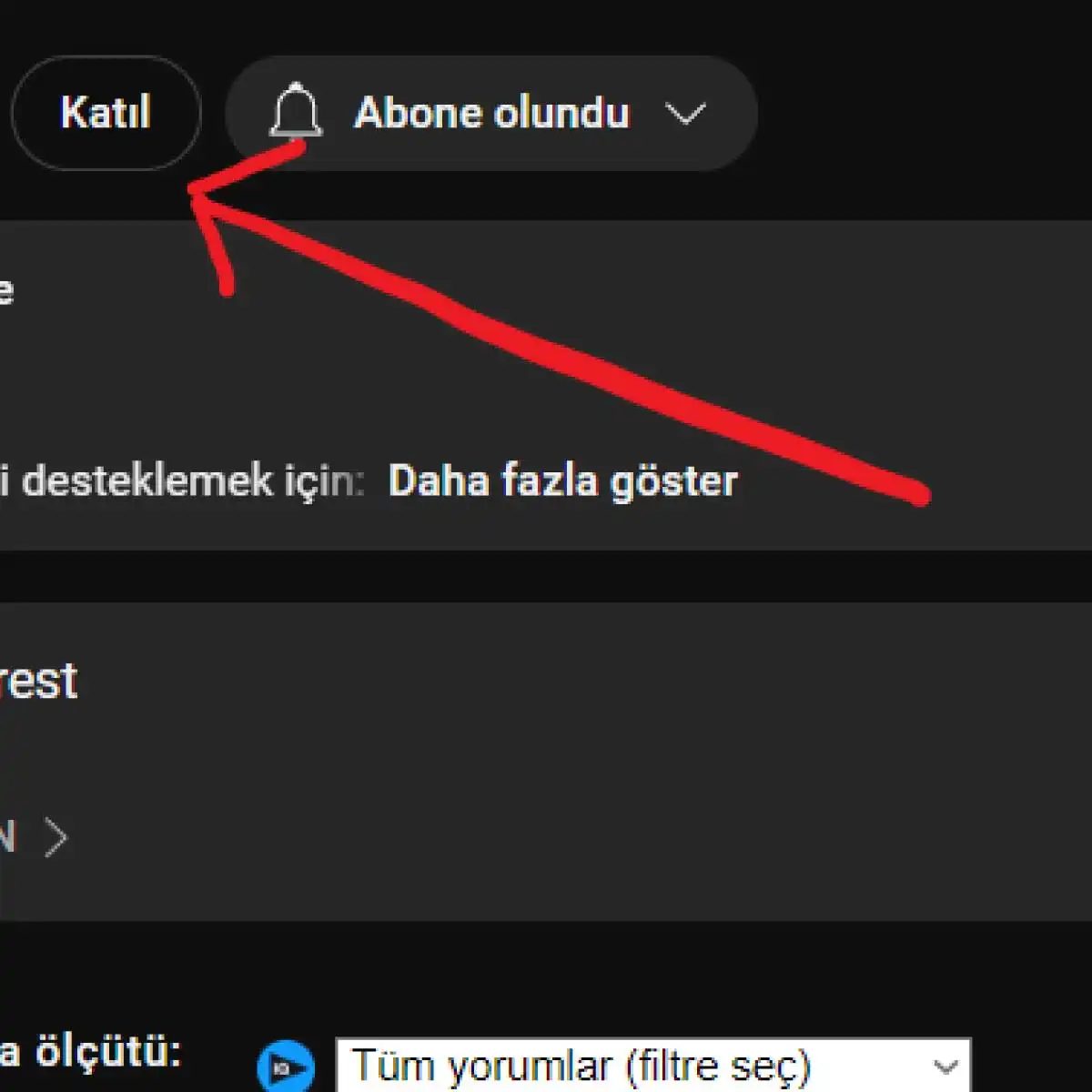
Subscribers click the Join button next to your channel name. They pick a tier. They pay. Now they are members.
Members see a “J” badge next to their username in your comments. They get access to member-only content. You can post videos, livestreams, or community posts just for them. They get custom emojis. They get exclusive chat access in live streams.
You decide the perks. Some creators offer early access to videos. Some do Q&A sessions for members only. Some just give a special badge and a thank-you. The key is value. If your perks feel empty, people will cancel. If they feel special, they stay.
Why Should You Activate the Join Button?
Ad revenue fluctuates. It can drop without warning. Algorithm changes can hurt your views. Memberships create a floor. A base of income you can count on.
If 100 people join at $5 per month, you make $500. If 500 join, you make $2,500. That money goes directly to you, minus YouTube’s 30% cut. You can use it to buy better gear. You can pay for editing software. Or you can just save it.
More importantly, memberships build a community. These are your biggest fans. They defend your videos. They engage with your content. They tell others about you. In a platform full of noise, that loyalty is gold.
Setting Up Your Membership Tiers
Keep it simple. Start with one or two tiers.
- Tier 1: Low price. Basic perks. Badge, custom emoji, maybe early access to one video a month.
- Tier 2: Higher price. More perks. Live Q&A, exclusive livestreams, behind-the-scenes content.
Do not overcomplicate it. If you have five tiers, people get confused. Two or three
YouTube Katıl Butonu’nun Topluluk ve Gelir Dinamikleri
Kanal sahipleri için asıl büyüme, basit beğeni sayılarında değil, sadık bir çekirdek kitlede gizli. YouTube Katıl Butonu tam da bu noktada devreye giriyor. İzleyiciler belirli bir ücret ödeyerek kanalın özel dünyasına adım atıyor. Bu sayede içerik üreticileri, gelirlerini çeşitlendirirken izleyiciler de standart içerik ötesine geçiyor.
Bu model, çift taraflı bir güven inşa ediyor. Kanal sahibi, özel videolar, canlı yayınlar ve sohbet özellikleri gibi avantajlar sunarak topluluğu sıkı tutuyor. İzleyici ise sadece izlemiyor, kanala maddi destek veriyor. Bu ilişki, geçici trendlerden bağımsız, daha kalıcı bir bağ yaratıyor.
“Üyelik tabanlı model, içerik üreticileriyle izleyiciler arasında daha güçlü bir ilişki kurulmasını ve sadık bir izleyici kitlesi oluşturulmasını sağlar.”
Etkinleştirme Şartları ve Gereklilikler
Her kanal bu butonu açamaz. YouTube, belirli eşiği aşan ve kurallara uyan kanallara izin veriyor. Asıl soru şu: Hangi kriterler bu kapıyı aralık bırakır?
- YouTube Ortaklık Programı üyeliği: Butonu kullanabilmek için kanalın zaten bu programda olması şart.
- Abone sayısı: Kanalın belirli bir abone eşliğine ulaşmış olması gerekiyor.
- Kurumsal veya bireysel hesap: Hesap türünün bu yapıya uygun olması.
Bu şartlar, rastgele bir buton değil, sistematik bir gelir akışı için gereken altyapıyı temsil ediyor.
Katıl Butonu ile Gelen Özel İçerik Türleri
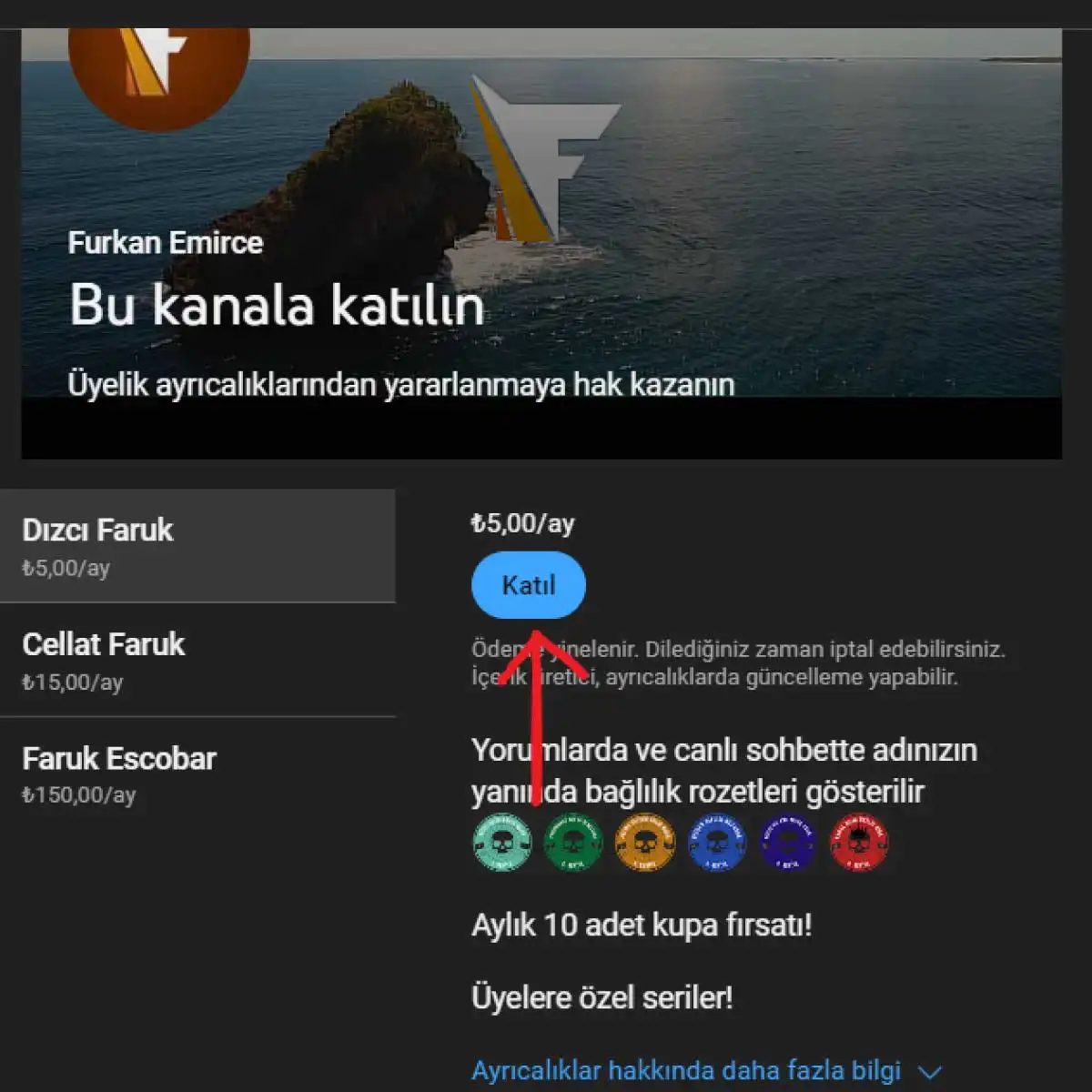
Üyeler ne alıyor? Sadece bir rozet değil. Kanal sahipleri, bu seviyelere farklı avantajlar atayabiliyor. Örneğin:
- Üyelere özel videolar: Premium içerikler.
- Canlı yayın avantajları: Özel sohbetler veya öncelikli erişim.
- Profil rozetleri: İzleyici listesinde görünen özel işaretler.
- Sohbet özellikleri: Canlı yayınlarda renkli yazılar veya özel emojiler.
Bu detaylar, izleyiciyi “izleyici” olmaktan çıkarıp “üye” yapıyor. Platform, bu ayrımı görsel ve işlevsel olarak destekliyor.
YouTube Join Button requirements and eligibility
You can’t just slap a membership button on your channel. There are hard gates. The primary threshold is the YouTube Partner Program. You need 1,000 subscribers. That’s the easy part. The other half is 4,000 public watch hours in the last 12 months.
If you miss either number, you’re locked out. No YPP, no Join button. It’s a binary switch.
The 4,000-hour requirement is for public content. Private or unlisted videos don’t count toward this metric.
Why does YouTube enforce this? They want to ensure you have an established, active audience before allowing you to start charging them recurring fees. It’s a trust filter.
Converting your channel to a Business account
Here’s where it gets technical. The Join button requires your channel to be linked to a Business account. If you’re running a standard personal creator channel, you have to migrate.
Go to YouTube Studio. Head to Settings. Look for the option to convert your channel to a Business account. You’ll need to fill out specific organizational details. This isn’t just a cosmetic change. It changes how billing, invoicing, and legal liability are handled.
Setting membership tiers
Once the infrastructure is ready, you define the product. You’re not just selling access; you’re selling levels of access.
- Tier 1: Basic perks, maybe a custom badge.
- Tier 2: Exclusive videos or early access.
- Tier 3: High-value interactions, like private live streams or direct chat access.
You need to map out what each tier actually delivers. Vague promises don’t convert. Be specific. If you offer a custom emoji pack, say so. If you offer a monthly Q&A, specify the format.
Defining the value proposition
How do you justify the monthly fee? You need to articulate the benefit clearly. Is it community? Is it content? Is it status?
Viewers are skeptical of paywalls unless the ROI is obvious. Your description should explicitly state what a subscriber gets. Don’t assume they know.
Adding the Join button to your channel
Final step. Go to YouTube Studio, then Channel Edit. There’s an element for the Join Button. Click add.
It appears on your channel header. It’s visible to viewers who meet the eligibility criteria for your specific region. If you’re in a region where YouTube memberships aren’t yet supported, the button won’t show up. Check your country’s availability in the YouTube Help Center.
Why the 4,000 hours?
It’s not arbitrary. YouTube analyzes viewer retention. A channel with 4,000 hours has proven it can hold attention. A channel with 1,000 subscribers but low watch time is likely a bot farm or a spam hub. The metric is a proxy for genuine engagement.
Do you have the hours? Check your Analytics dashboard. Look at “Watch time” under the Engagement tab. It’s cumulative for the last 365 days.
YouTube Katıl Butonu: 30.000 Abone Eşiği ve Gerçek Gerçekler
YouTube Katıl Butonu (Join Button) sadece bir özellik değil, içerik üreticileri için kanallarında üyelik tabanlı bir gelir modeli sunan stratejik bir araç. Peki bu butonun etkinleştirilmesi için hangi şartları yerine getirmek gerekiyor? Cevap, çoğu orta ölçekli kanal için hayal kırıklığı yaratabilir.
Evet, sayı 30.000.
YouTube Katıl Butonunu açmak için kanalınızda en az 30.000 abone olması şart. Bu rakam, kanalınızın belirli bir büyüklük ve etkileşim seviyesine ulaştığını gösterir. 10.000 aboneyle bu kapı size kapalı. 29.999 aboneyla da değil. Bu eşik, platformun “ciddi” toplulukları hedeflediğini net bir şekilde ortaya koyuyor.
YouTube Ortaklık Programı’na Üyelik Zorunluluğu
Abone sayısı tek başına yetmiyor. YouTube Ortaklık Programı ‘na katılmış olmanız da gerekiyor. Bu program, kanalınızın belirli bir performans seviyesini karşıladığı ve YouTube’un onay verdiği bir yapı.
Burada dikkatli olun. Ortaklık Programı’na girmek için sadece sayısal hedefler değil; telif hakları, kullanım politikaları ve yayın standartları gibi gereksinimleri de eksiksiz karşılamak zorundasınız. Kanalınızın geçmişinde ciddi ihlaller varsa, bu buton sizin için bir hayal kalabilir.
Üyelik Seviyeleri ve Fiyatlandırma Stratejisi
Butonu etkinleştirdiniz. Şimdi ne yapacaksınız? Rastgele fiyat koymak, izleyicilerinizi kaçırmanın en hızlı yolu.
Üyelik seviyeleri belirlemek, izleyicilere sunacağınız avantajları ve içerikleri planlamak demektir. Farklı ayrıcalıklar sunarak sadakat yaratırsınız. Fiyatlandırmada ise iki şeyi tartmanız gerekir:
- İzleyicilerinizin bütçesi
- Sunduğunuz içeriğin algılanan değeri
Uygun fiyat, katılımları teşvik eder. Yüksek fiyat ise kitleyi daraltır. Bu denge, kanalınızın büyüklüğüne göre değişecektir.
Nerede Kullanılamıyor? Ülke ve Bölge Kısıtlamaları
Burada çoğu kişi takılır. YouTube Katıl Butonu, tüm dünyada aynı şekilde çalışmıyor.
Bazı ülkelerde bu özellik henüz aktif değil veya belirli kısıtlamalara tabi. Kanalınızın bulunduğu ülke ve hedeflediğiniz izleyici kitlesi için butonun kullanılabilir olduğunu kontrol etmeniz kritik. Türkiye gibi pazarlarda bu özelliğin durumu, kullanıcı deneyimini doğrudan etkiler. Elinizi kolunuzu bağlayan coğrafi sınırlamalar olmasa bile, hedef kitlenizin erişim
Üyelik seviyeleri ve fiyatlandırma stratejileri
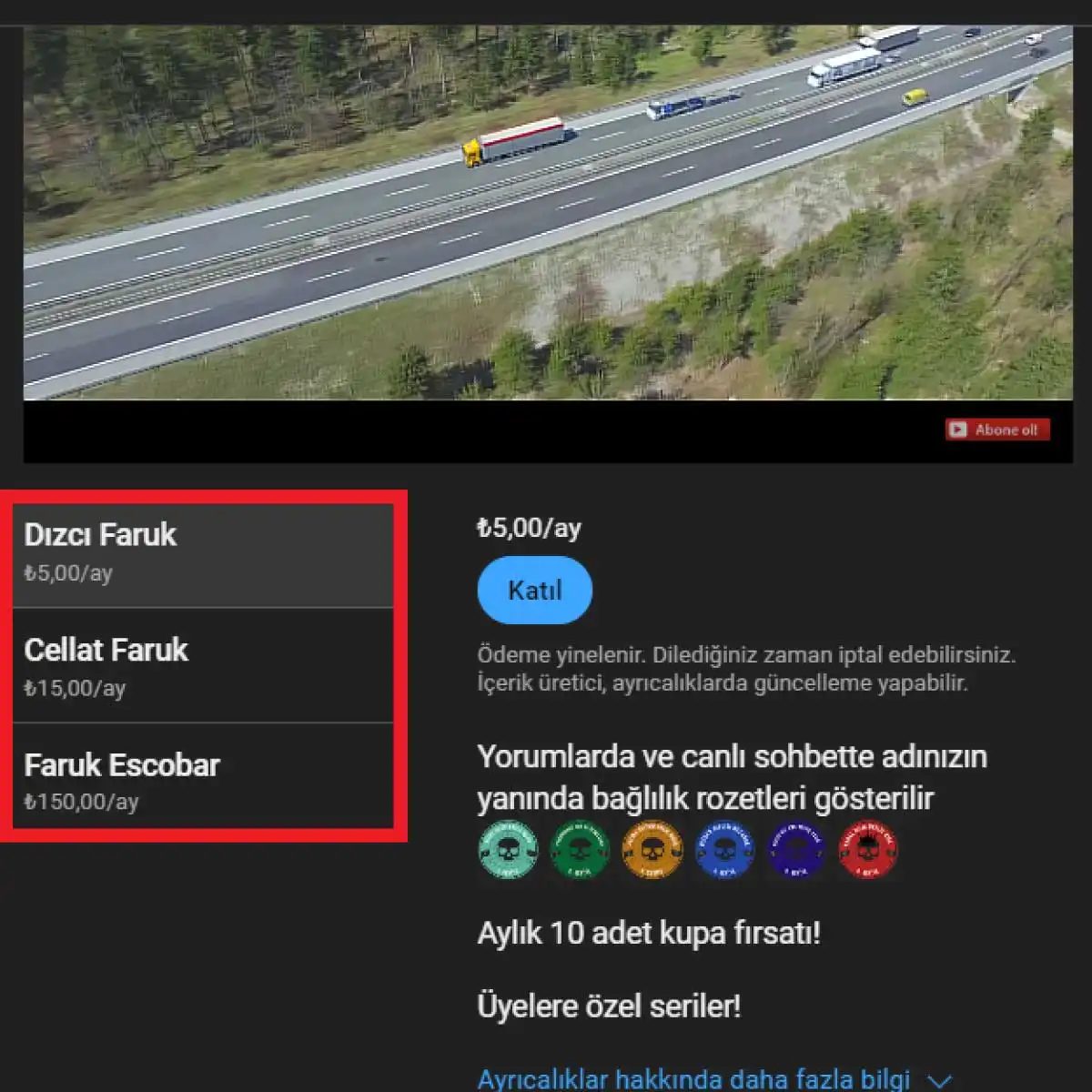
Para kazanmanın temeli, izleyicilerinize ne sunacağınızı netleştirmekle başlar. YouTube Katıl Butonu ile para kazanmak için öncelikle üyelik seviyelerini belirlemeniz gerekir. Tek bir fiyat yerine, farklı bütçelere hitap eden katmanlar oluşturun.
Her seviye için ayrı bir fiyatlandırma stratejisi geliştirin. Bazı izleyiciler en temel erişim için düşük bir ücret öderken, diğerleri premium içeriğe ulaşmak için daha yüksek miktarları göze alabilir. Bu çeşitlilik, izleyicilerinize seçenek sunmanın en pratik yoludur.
Seviyeleri ayırdıktan sonra, her birine özel avantajları tanımlayın.
- Temel Seviye: Erken erişim, özel rozetler veya sınırlı soru-cevap hakkı.
- Orta Seviye: Özel topluluk erişimi, haftalık bonus videolar.
- Yüksek Seviye: Kişisel danışmanlık, özel canlı yayın oturumları veya detaylı eğitim materyalleri.
İzleyicilere neden abone olduklarını hissettirin
İzleyiciler para verirken sadece içerik almaz; bir aidiyet hissederler. Bu yüzden satın alan izleyicilere, diğerlerinden farklı bir deneyim sunmanız şart.
Üyelere özel ve özgün içerikler üretmek, ilginizi çekmenin anahtarıdır. Daha derinlemesine eğitim videoları, kişisel tavsiyeler veya arkasındaki sahneler (behind-the-scenes) gibi materyaller bu kapsamda değerlendirilebilir. İçeriğin kalitesi, izleyicinin “bu parayı vermeye değer” demesini sağlar.
Ek avantajlar: Rozetler, etiketler ve öncelikli erişim
Üyelik satın almayı teşvik etmek için görsel ve sosyal ödülleri devreye sokun.
- Özel Etiketler ve Rozetler: Üyelerin isimlerinin yanında belirgin işaretler. Bu, topluluk içinde statü sağlar.
- Profil Resimleri: Sadece üyelere özel avatar seçenekleri.
- Öncelikli Erişim: Videoların herkese açılmadan önce üyeler tarafından izlenebilmesi.
- Canlı Yayın Katılımı: Chat’e özel erişim veya özel yayınlar.
Bu küçük dokunuşlar, sadakat oluşturur. İzleyiciler, topluluk içinde öne çıkmak ve özel hissetmek ister.
Düzenli içerik üretimi ve canlı yayınların rolü
Tek seferlik içerik, abonelik sürdürülebilirliğini desteklemez. İzleyicilerin üyeliğini sürdürmesi için düzenli olarak kaliteli içerik yayınlamanız gerekir.
İçeriğiniz yaratıcı, eğlenceli ve bilgilendirici olmalı. Tutarlılık, güven inşa eder. Ayrıca, canlı yayınlar bu modelin güçlü bir parçasıdır.
Canlı yayın sırasında sadece katıl butonu satın almış izleyicilerin sohbet ed
How to actually sell the YouTube Join button subscription
People scroll past. They want the highlight. The Join button sits there, waiting. To make them click, you have to stop selling “access” and start selling identity.
Highlight the specific perks.
Vague promises die in the comments. If you offer a badge, say it. If you offer early access to drafts, show the draft. Viewers need to see the tangible difference between being a free viewer and being a member. Explain exactly what they get.
Create gated content.
This is the anchor. A free video is one thing. A behind-the-scenes tutorial or a “no-cut” version of your workflow is another. When that content is locked behind the Join button, the value proposition writes itself. Make sure they know this content disappears if they stop paying.
Keep the main channel high-quality.
This sounds obvious. It isn’t. If your regular uploads are inconsistent or low-effort, why would anyone pay for the premium tier? The free content has to justify the existence of the paid one. Create unique, entertaining, or deeply informative material. If the free feed is boring, the subscription is a dead end.
Explain the “how” in every description.
Don’t assume they know how it works. In your video descriptions, and in your channel “About” section, lay out the steps. How do they join? What happens after they join? Remove the friction. Confused users do not buy.
Build the community, not just the audience.
A channel is a broadcast. A community is a relationship. Reply to comments. Make member-only posts in the Community tab. Ask for their input. When a viewer feels like they belong to a group, not just a fanbase, they are less likely to cancel. Loyalty is built on interaction, not just information.
Run limited-time promos.
Scarcity works. If you offer a discount for the first month, or a bonus gift for joining this week, you create urgency. It nudges the hesitant viewer over the line. Just make sure the price change is clear and temporary.
How to track the revenue from your YouTube Join button
Money moves through the system. You don’t see it in real-time on the video page. You see it in your analytics.
Go to YouTube Studio. Navigate to the Earn section. There is a dedicated area for membership revenue. It breaks down by month. You will see:
- Gross earnings : The total amount collected.
- YouTube’s cut : Your share is typically 55% (or 70% if you don’t use a linked MCN, but the standard default for most creators is the 55/45 split, where YouTube takes 45% and you keep 55%. Verify your specific terms in the Partner Program).
- Payout schedule : Money is usually paid out monthly, provided you have met the threshold.
The key metric isn’t just total revenue. It’s retention rate. How many members stay after month one? If churn is high, your content isn’t holding them.
Check the Membership tab in your analytics. It tells you when people joined and when they left. If you see a spike in cancellations after a specific video, look at that video. Did you miss the mark? Did you fail to deliver a promised perk?
The data is blunt. It tells you exactly where the leak is. Fix the leak, and the revenue stabilizes. If you don’t look at the numbers, you’re just guessing. And guessing is expensive.
How to Track Your YouTube Membership Earnings
Knowing where your money is coming from is half the battle. The other half is knowing where it is going. If you are running the YouTube Katıl Butonu (Join button) on your channel, you need a clear line of sight into your revenue. It is not just about vanity metrics. You need to see exactly what members are paying and when that cash hits your account.
Where to Find Membership Revenue Stats in YouTube Studio
Open YouTube Studio. Do not look for a secret dashboard. Go to the Analytics section. This is the hub. It shows you total earnings, member counts, and the breakdown of membership tiers. If you have different price points, you can see which one is actually performing.
- Total Revenue : The bottom line.
- Member Counts : Who is actually paying.
- Tier Breakdown : Which price point is popular.
This data updates regularly. It tells you if your audience is loyal or just curious.
Why Monthly Channel Performance Reports Matter
YouTube sends you Channel Performance Reports every month. These are not just random numbers. They provide a snapshot of your channel’s health. You can spot trends here. Did your membership income spike after a specific video? Did it drop during a quiet period? These reports help you connect content to cash flow.
“Trends are more useful than snapshots. Look for patterns over time.”
How YouTube Notifies You About Payments
You will not see a bank deposit and assume it is from memberships. YouTube sends you payment notifications. These come via email or through the notification bell in YouTube Studio.
- Email : Check your inbox.
- Studio Notifications : Check the bell icon.
These alerts tell you the date range for the payment. They are your receipt. Keep them. They prove what you earned during that specific window.
Which Reports Give You Detailed Income Insights
If you are in the YouTube Partner Program, you have access to deeper data. Monthly income reports are your best friend here. They break down:
- Total revenue
- Membership type distribution
- Month-over-month changes
This is how you optimize. If Tier 1 is booming but Tier 3 is dead, maybe your higher price point is too high. Or maybe your content isn’t rewarding those big spenders enough. The data tells you.
Where Your Money Actually Lands: AdSense
This is the part people forget. YouTube does not pay you directly to your bank account. The money goes through your Google AdSense account.
Log into AdSense. Look for the membership revenue section. You will see the detailed payment history here. This is the final truth. If YouTube says you made $100, AdSense confirms it. Regularly checking AdSense is a good habit. It ensures no payments are missing and gives you a clear audit trail.
The system is not complicated, but it is scattered. Studio for metrics. Reports for trends. AdSense for actual cash. Keep all three in sync.
Leveraging the Join Button for Community Growth
Marketing the Join Button isn’t about begging for money. It is about framing your membership as a service. If your channel produces original, entertaining, and informative videos, viewers are already primed to pay for deeper access. You need to make that jump from passive viewer to active member feel like a natural progression, not a transaction.
The strategy hinges on value. What does a subscriber actually get? Is it early access to content? A private community chat? Exclusive live streams? You have to highlight these benefits relentlessly. If you run a fitness channel, for example, you aren’t just posting workouts. You might offer detailed equipment reviews, discount codes for gear, or specialized training plans available only to members. Aligning your merchandise or service offerings with the channel’s theme reinforces the utility of the membership.
Clarity wins here. Confusion kills conversions. Your channel description and video intros should explain exactly how to join. Explain the tiers. Explain the payment structure. Explain what you get. Visual cues help too. A subtle graphic in the corner of your video or a verbal reminder at a logical pause point keeps the option on their radar without being annoying.
Understanding the Mechanics of Channel Membership
So, what exactly is the Join Button? It is YouTube’s native feature for creator-driven subscriptions. It allows viewers to pay a monthly fee for “Channel Membership.” This isn’t an ad. It is a direct relationship between you and your audience, funded by their ongoing support.
The location is straightforward if you know where to look.
- Log in to your YouTube account.
- Search for your channel or a creator you follow.
- Navigate to the channel’s homepage.
- Look for the “Join” or “Membership” tab directly below the channel banner.
- Click the tab to view available tiers and prices.
- Select a tier to complete the subscription.
It is a paid service. There is no free tier for the core membership benefits. Viewers choose a specific level based on the price you set, and they pay monthly to retain access to those perks.
Setting Up Your Membership Program
Want to turn this feature on? The process is entirely within YouTube Studio. It is not a toggle you flip in the mobile app. You need desktop access to manage the configuration.
- Log in to YouTube Studio.
- Navigate to the “Channel” section on the left-hand menu.
- Select “Membership” or “Join Button.”
- Click the “Start” or “Enable” button.
- Define your membership tiers and pricing.
- Detail the specific benefits for each level.
- Review your settings and save the changes.
Once active, the button appears on your channel, and viewers can subscribe immediately.
Eligibility Requirements and Thresholds
You cannot simply turn this on. YouTube has strict barriers to entry for the Join Button, primarily to ensure creators are committed and have a legitimate audience. These requirements are tied to your status in the YouTube Partner Program.
To qualify, your channel must meet specific benchmarks:
- Your channel must be accepted into the YouTube Partner Program.
- You need at least 1,000 subscribers.
- You must have at least 4,000 watch hours in the last 12 months.
- Your content must comply with all YouTube policies and local laws.
- Your channel must not be in a region or category that restricts membership features.
The 1,000 subscriber mark is the hard gate. If you have 999 subscribers, you are stuck. You need that critical mass of engaged users before YouTube allows you to monetize them through membership. This ensures the feature is used by channels with a proven track record, not just new accounts looking for quick cash.