




Rave – Watch Together has become the go-to fix for the loneliness of streaming alone. It solves a specific, nagging problem: you want to watch The Bear with your sister in London, but she is three hours ahead of you. Or you just want to react to a YouTube video with a group chat. The app syncs video and audio across platforms like Netflix, YouTube, Vimeo, and Dropbox. It recreates the feeling of sitting on a couch with friends, even if everyone is in a different zip code.
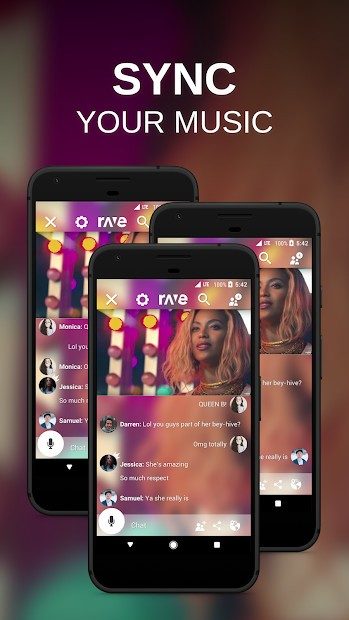
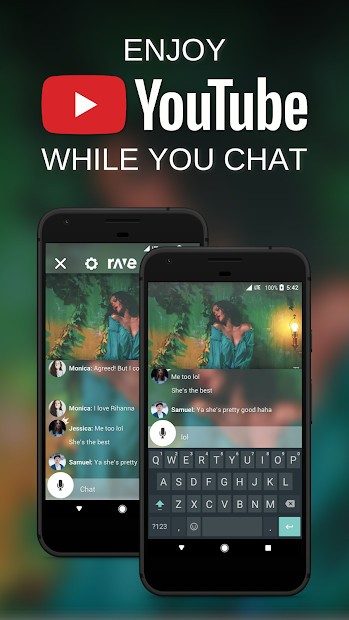
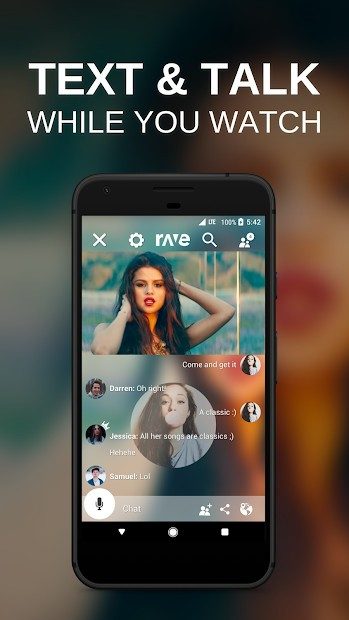
The core appeal isn’t just watching. It is the synchronization. When you join a “room,” the video plays for everyone at the exact same millisecond. No more pausing every thirty seconds to yell, “Wait, did you see that?” or “Skip ahead, I’m behind.” Rave handles the heavy lifting. It integrates a text and voice chat module directly into the interface. This means you can argue about plot holes while the plot unfolds in real-time.
The platform is surprisingly versatile. You aren’t limited to major streaming services. You can pull files from your own Google Drive or Dropbox. This allows for private movie nights or even collaborative work sessions where teams review video documents together. The interface is intuitive. You create a room, set privacy settings, and send a link. Guests join without needing to install anything complex, though the app itself is robust.
Cross-Platform Compatibility and Installation
The beauty of Rave lies in its accessibility. It works everywhere. If you are on an Android phone, you grab it from the Google Play Store. iPhone and iPad users find it on the App Store. The installation is standard. Search for the name, download, and go. You can sign up with a Google or Facebook account to manage profiles easily.
But here is the kicker. You do not always need an account to join. If the room is public or the host has set it that way, you can just jump in. This lowers the barrier to entry significantly. It is not a walled garden requiring deep integration before you can hit play.
For desktop users, Rave offers a web version. It is compatible with Windows and macOS. The interface mirrors the mobile experience, allowing you to host or join rooms from your laptop. This is crucial because many people still watch content on their bigger screens. However, there is no dedicated Linux application. You have to rely on the web client. Depending on your browser, you might hit some functional limitations, but the core experience remains intact.
“Rave prioritizes simultaneity and real-time exchange across multiple devices, rather than focusing solely on desktop sharing.”
This multi-device approach sets it apart from competitors. Some tools focus heavily on the desktop experience. Rave knows that most social interaction happens on phones. So it optimizes for that reality. It is not perfect for Linux purists, but for the vast majority of users, the cross-platform support is seamless.
Why Internet Stability Matters
There is one catch. Streaming requires bandwidth. If your internet connection is spotty, the sync will break. You will be watching a different scene than your friend. It ruins the immersion. So, a stable connection is non-negotiable, especially when streaming HD content from third-party platforms.
You also need to grant permissions. Let Rave access your microphone for voice chat. Allow notifications so you know when someone joins or leaves. Without these, the social aspect of the app becomes clunky.
Updates happen automatically on mobile devices via the app stores. This ensures everyone is on the same version. Mismatched versions can sometimes cause sync issues, so keeping the app current is a small but important step. For the web version, you rely on the browser’s cache and the developer’s updates. It is less manual, but you still need to check periodically if things feel sluggish.
The flexibility of access rights is another strong point. You can restrict rooms to specific users. Open them to anyone. This makes it suitable for family gatherings or professional training sessions. The link-sharing model is simple. No complex IP configurations. No VPNs required. Just a code or a link.
It is not just about watching. It is about sharing an experience. In a world where we are more connected digitally but often isolated physically, Rave bridges that gap. It turns passive consumption into an active, shared event. The technology handles the sync. The users handle the conversation.
But the tech is only half the story. How well does it hold up when the network dips? Or when five people are trying to stream 4K content simultaneously? The answer is often “it depends.” But for standard definition, or even 1080p, it usually holds together. The friction is low. The reward is high. You get to laugh at the same joke at the same time. That matters.
How to Download Rave and Manage Versions Safely
Start watching together now. That is the pitch. Rave – Watch Together is built for sync-watching, real-time chat, and sharing moments without being in the same room.
Get it from the official site or app stores. It is free to download. No upfront cost. The business model leans on optional premiums. Standard access stays free. You do not need to pay to join or create most rooms.
If you want no ads, customization, or server priority during heavy traffic, there is a premium tier. For students, families, or friend groups, the free version is enough. It covers the vast majority of online sharing events.
Intensive use or large groups might trigger a need for paid features. These offer more control over room administration and better synchronization quality. Currently, there is no specific discount for educational institutions or student-only offers. You can contact support to document volume licensing or institutional deployment.
People often ask about downloading older versions of Rave. Maybe your OS is ancient. Maybe you just miss the old interface. Official stores highlight the latest build. Archive sites host previous iterations.
Prioritize official sources. Security and stability matter. Downloading from shady archives invites risk. To force an update, search manually in your store and tap update. Or uninstall and reinstall. This ensures you are on the newest version.
Rave Alternatives and Future Updates
Co-viewing is more than syncing videos. It is social connection in a digital age. It works when remote work or physical separation forces groups apart. It maintains social ties. It animates group events. It runs interactive pedagogical sessions.
Rave stands out for simplicity and compatible video supports. But alternatives exist. They serve specific needs.
Teleparty (formerly Netflix Party) is one option. So is Kast. Watch2Gether is another. Each has its own catalog, security protocols, and invitation modes.
Choosing between Rave and other software depends on expectations. Do you care about ergonomics? How many participants can join simultaneously? Do you need support for specific streaming services? Do you need session recording? Granular access rights?
New users have resources. Official guides exist. Video tutorials are available. Community FAQs help with installation and setup. There is no official certification training for Rave. However, the topic appears in digital mediation courses. Online animation curricula emphasize collaborative tools and multimedia sharing.
The software evolves. It enriches the user experience. New streaming services are integrated. Synchronization is optimized. Interaction modules are developed.
Accessibility across multiple platforms is a priority. Backward compatibility is key. Future updates focus on this. Strengthening moderation is another goal. Online community management is on the horizon.
Rave remains a preferred solution for those seeking conviviality and discovery through video. It works across devices and operating systems. It meets particular content expectations. The future is inclusive. And evolving. Until the next update drops.

Most people think watching TV together is just hitting play at the same time. It isn’t. It is a technical nightmare of latency and buffering that Rave solves by syncing playback across devices. The app acts as a bridge. It pulls content from various streaming services and keeps everyone on the same frame.
The experience relies on a stable internet connection. If your Wi-Fi drops, the sync breaks. You will be left watching a movie while your friends are five minutes ahead. That kills the communal vibe instantly.
Where to Get Rave Watch Together
The distribution strategy is broad. It does not lock you into one ecosystem.
You can grab the app from the Google Play Store if you are on Android. iPhone and iPad users head to the App Store. The developers at Rave Inc. also support desktop users. There is no native PC app to download. You simply open a modern browser. Windows and macOS systems work fine. Chrome, Firefox, or Safari will handle the web service.
This flexibility matters. You do not need the same operating system as your friends. A Windows user can watch with an iOS user. The web interface handles the heavy lifting for desktop browsers.
The Cost and Privacy Model
Rave uses a freemium model. The core functionality is free. You can create rooms. You can invite links. You can watch videos.
There is advertising in the free version. It is an intrusion. You will see ads before or during sessions. If you want to remove them, you pay for premium options. The pricing varies by region and current promotions.
Privacy is handled through access codes and links. You control visibility. A public room allows anyone with the link to join. A private room requires a specific code. This is useful for family groups or close friend circles who do not want random viewers popping in.
Compatibility with Streaming Services
The real magic happens with integration. Rave does not host all the content itself. It connects to external services.
Supported platforms include:
– YouTube
– Netflix
– Vimeo
– Google Drive
– Dropbox
Availability depends on your region. Licensing laws differ across borders. Just because Rave supports Netflix does not mean you can watch every title. Some content is geo-blocked. Some requires a premium subscription on the third-party service.
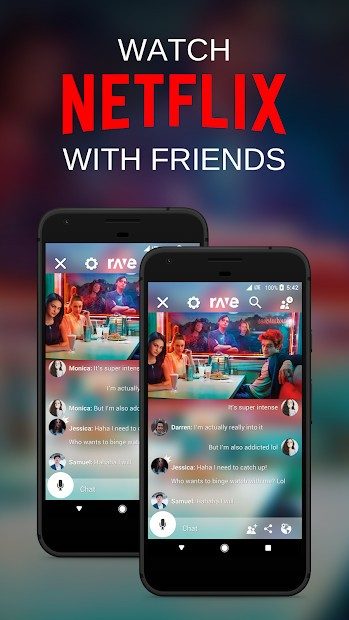
For example, you need an active Netflix account to stream Netflix content. Rave just provides the sync engine. It does not pay your subscription bill.
Cloud storage like Google Drive or Dropbox adds a different layer. You can share personal videos. This is useful for private content that is not on major streaming platforms. You upload the file. You generate a link. Rave syncs it.
Technical Requirements for Smooth Sync
Hardware matters. You do not need a supercomputer. But you do need decent gear.
Smartphones and tablets from the last few years are sufficient. The app handles the decoding. The real bottleneck is the network. A strong Wi-Fi signal or 5G connection is essential.
For desktop users, the browser must be up to date. Older versions of Internet Explorer will not work. Modern browsers optimize video playback and JavaScript execution. This ensures the sync stays tight.
Audio communication is an optional feature. You can chat via text. Voice chat is available but not mandatory. If you want to talk, you need a microphone. The app detects your system audio. It mutes the video audio to prevent echo. This is a standard feature in co-viewing apps. It prevents the “hey, can you hear me?” loop.
Why This Setup Works
The architecture separates the video player from the social layer. The video plays on the source device or via the web interface. The chat runs in a side panel. This reduces lag in the conversation. You are not waiting for the video to buffer to send a message.
The app respects third-party terms of service. It does not circumvent DRM. It relies on official APIs where possible. This means it is safer than unofficial screen-sharing tools. Your data is not being recorded or redistributed.
However, the dependency on external services is a weakness. If YouTube changes its API, Rave may break until it updates. If Netflix blocks automated players, the feature stops working. You are at the mercy of the giants.
Still, for casual viewing with friends who are geographically scattered, it remains one of the most
The Hidden Costs of Modern Software Debt
We’ve spent the last few years treating software updates like candy. Quick, sweet, and completely devoid of nutritional value. We clicked “install” on Windows 11, macOS Sonoma, and iOS 17 without asking what those binaries actually contained. The promise was always speed. Stability. New features that didn’t break the old ones.
It was a lie.
Modern software is bloated by design. Not because the engineers are lazy, but because the business model is broken. You are not the customer. You are the resource being mined. Every click, every hover, every second of idle time is tracked, packaged, and sold to advertisers who don’t care if your laptop runs hot. They care about engagement metrics.
Why Your Devices Feel Slower (It’s Not Hardware)
You bought a new machine last year. It was fast. Snappy. Now it feels like wading through mud. You blame the battery. You blame the dust. You blame the weather.
It’s the telemetry.
Modern operating systems are essentially spyware with a user interface. They phone home constantly. Checking for updates. Reporting usage patterns. Sending crash logs to Microsoft, Apple, or Google’s servers. This background chatter consumes CPU cycles. It eats memory. It keeps the disk active.
The result? Lag. Stutter. And a battery that drains twice as fast as it should.
How to Take Back Control (Without Uninstalling Everything)
You don’t need to go full luddite. You don’t need to switch to Linux just to browse the web. But you do need to tighten the screws.
Here is what actually works. Real fixes. Not the “clear your cache” nonsense you see on every tech blog.
Turn off telemetry at the source.
On Windows, this means digging into Settings > Privacy > Diagnostics & feedback. Set it to “Basic.” Better yet, use a local group policy editor to disable data collection entirely. If you are on a Home edition, you will need third-party tools like O&O ShutUp10. It’s free. Open source. Do it.
On macOS, go to System Settings > Privacy & Security > Analytics & Improvements. Turn off “Share Mac Analytics.” Turn off “Improve Spotlight.” Turn off “Improve Search.” Apple calls it “helping us improve your experience.” It helps them sell ads. You just lose RAM.
On mobile, it’s worse. iOS and Android are locked down tighter than Fort Knox. But you can restrict background app refresh. Go to Settings > General > Background App Refresh on iOS. Turn it off for apps that don’t need real-time data. Do the same for Android. It’s in Settings > Apps > [App Name] > Mobile data & Wi-Fi > Background data.
Disable location tracking for non-essential apps.
Why does your weather app need to know exactly where you are standing? It doesn’t. It needs a city name. That’s it. Go to Settings > Privacy > Location Services. Revoke access for every app that doesn’t rely on GPS for its core function. Maps. Uber. Tinder. Leave the rest.
Stop using cloud sync for everything.
Your photos. Your documents. Your notes. They don’t need to be in the cloud.