




Amazon Music isn’t just an afterthought for Prime members anymore. It has carved out a serious niche in the crowded streaming market by leveraging the entire Amazon ecosystem. The service feels less like a standalone app and more like a utility that comes with your household infrastructure.
The appeal lies in its sheer accessibility. You aren’t locked into a specific walled garden. Whether you’re running Android, iOS, or iPadOS, the app works. Even the Apple Watch gets support. For those who don’t want to clutter their devices with native apps, the web player works seamlessly across any browser. This multi-platform approach means your library travels with you, regardless of what hardware you pick up that morning.
But let’s look closer at what you actually get for your money. The free tier, known as Amazon Music Free, is a different beast entirely. It doesn’t offer the full discovery experience of a paid subscription. Instead, it acts as a portal for your own content. You can stream music you’ve already bought on Amazon, stored in your personal cloud, or play local files sitting on your device. There are no subscription fees. There are ads, though. And the catalog is limited. It’s a taste test, not the meal.
The free tier is essentially a library card for purchases you’ve already made, not a discovery engine.
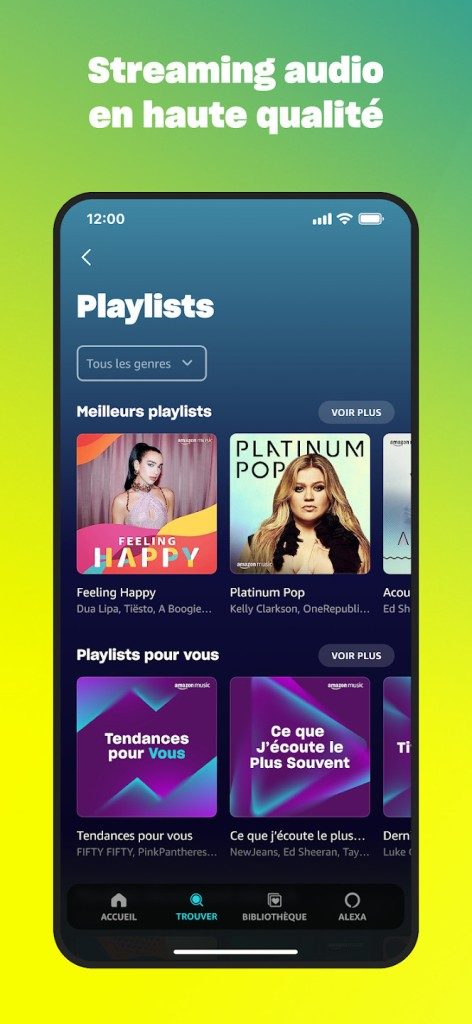
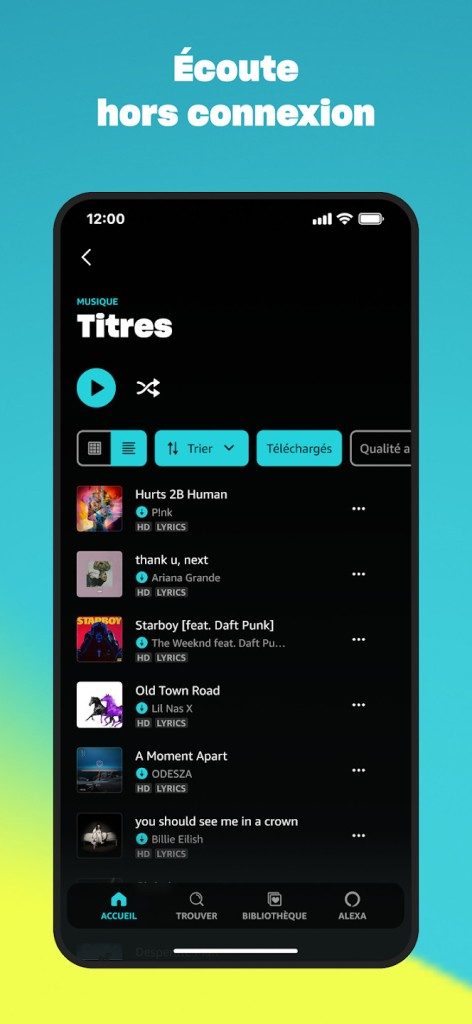
Prime members get a sweet spot in the middle. For the price of their existing shipping subscription, they get ad-free listening to about 2 million tracks. You can download songs for offline listening, which is a game-changer for commutes or areas with spotty signal. The interface pushes curated playlists and radio stations, integrating them smoothly into the app. It’s enough for most people who just want background noise that doesn’t interrupt them with commercials.
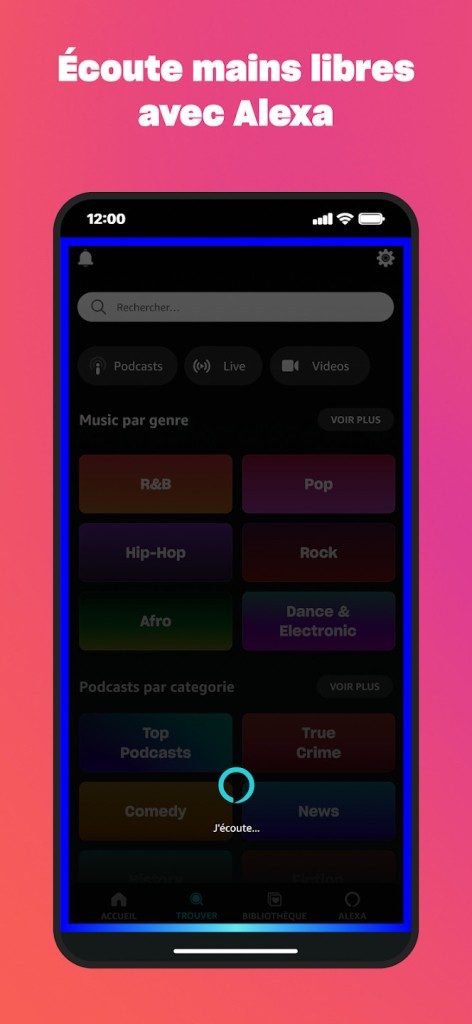
Then there is Amazon Music Unlimited. This is the real deal. Tens of millions of tracks. Every genre. Every era. The integration with Alexa here isn’t a gimmick; it’s functional. You can ask for recommendations based on mood or activity without lifting a finger. It simplifies the search process significantly, especially in a car or kitchen setting.
Installation is frictionless, which is exactly how it should be. On Android, it’s in the Google Play Store. Apple users grab it from the App Store. The mobile interface prioritizes speed and simplicity. You tap, you listen. The same logic applies to tablets.
For desktop users, there’s no need to stick to the browser. Amazon offers dedicated apps for Windows and macOS. These clients ensure full catalog integration and robust playlist management. They handle offline mode just as well as the mobile counterparts.
The setup process is trivial. Download the app. Log in with your Amazon credentials. Your library syncs instantly. Whether you’re setting up a personal profile or managing a family plan, the service avoids the need for multiple subscriptions. It consolidates your music access into a single account structure. This reduces clutter. It simplifies billing. It just works.
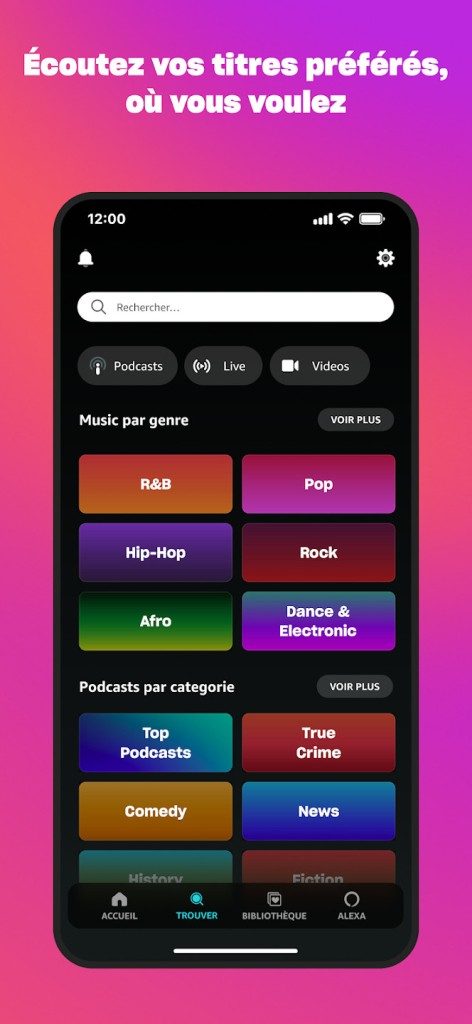
Amazon Music isn’t a one-size-fits-all product. It’s a tiered ecosystem designed to catch different types of listeners. If you just want to dip your toe in, Amazon Music Free is the no-commitment entry point. You don’t need to pay a dime. It’s mostly ad-supported discovery, but it ties nicely into your existing digital purchases from the Amazon Music store. If you’ve already bought MP3s there, this free tier acts as a simple player for your own files.
But if you’re serious about streaming, the game changes.
Prime vs Unlimited: What’s the real difference?
Most people get confused between Amazon Music Prime and Amazon Music Unlimited. The distinction matters because the library size and audio quality differ significantly.
Amazon Music Prime is bundled with your standard Amazon Prime subscription. You’re already paying for fast shipping and Prime Video, so this is essentially a bonus feature. The catch? The catalog is limited. You get access to millions of songs, but not all of them. There are ads, and the audio quality is standard. However, it does allow you to download music for offline listening on mobile devices, which is a nice perk for commutes without data.
Then there is Amazon Music Unlimited. This is the premium option. It unlocks the full catalog, including tracks you can’t find on the Prime tier. More importantly, it offers high-fidelity audio. We’re talking HD and Ultra HD streaming. If you have the right headphones or speakers, you can even get Dolby Atmos and 360 Reality Audio spatial audio. For audiophiles, this is the only way to go.
Pricing structures and student discounts
Unlimited isn’t just a single price tag. Amazon segments this to capture different user behaviors.
- Individual Plan: For the solo listener.
- Family Plan: Supports up to six distinct profiles. Each person gets their own personalized recommendations and offline downloads.
- Student Plan: A discounted rate available to those with valid student status.
Amazon often runs promotions here. You might get a 30-day free trial as standard. During special sales events, that trial can stretch to three months. It’s a low-risk way to test the HD audio capabilities before committing to the monthly fee.
There’s also a niche option for Echo owners. If you only listen through Amazon’s smart speakers, there’s a specific, cheaper subscription tier. It’s locked to those devices, so it won’t help if you want to listen on your phone. Payment is flexible—you can choose monthly or annual billing, with the annual option usually offering a slight discount.
Cross-platform compatibility and updates
Amazon Music is everywhere. That’s not hyperbole. It runs on Android and iOS. It has dedicated apps for Windows and macOS desktops. It’s on the web browser. It even integrates with the Apple Watch and iPadOS. If you have an Echo device or any Alexa-enabled smart home gadget, the music flows there too.
The biggest selling point for power users is continuity. You can start a playlist on your phone, pause it, and resume on your desktop or car Bluetooth without missing a beat. The library syncs automatically. Search is voice-enabled, which makes finding music by singing the lyrics or asking for a specific genre much faster than tapping through menus.
Keeping the app running smoothly
Updates are automatic on official app stores (App Store and Google Play), but you can force-check for them if the app starts acting glitchy. On desktop, you download the latest version directly from Amazon’s site to ensure compatibility with the newest Windows or macOS updates.
Technically, you can roll back to an older version of the app if the latest one breaks something. It’s rarely advisable, though. You miss out on security patches and new features. But if you’re stuck on an old operating system, it’s a workaround.
Is it worth the upgrade?
Amazon doesn’t offer certified training courses for the service. Instead, they provide guides and tutorials. The interface is designed to be intuitive, so most users figure it out quickly. Even if you aren’t tech-savvy, the personalization engine learns from your listening history. It suggests songs based on what you skip, what you repeat, and what you add to playlists.
For the casual listener, Prime is often enough. You get offline downloads and a huge selection without breaking the bank. But if audio fidelity matters to you, or if you want access to the entire Universal Music Group catalog, Unlimited is the logical step. It’s a flexible service that scales with your habits.
Where does this leave you? Probably deciding if you really care about the extra $10 a month for HD audio. Or maybe you’re just trying to figure out how to transfer your old iTunes library to Amazon’s ecosystem. The tools are there. The integration is deep. The rest is just choosing which tier fits your wallet.
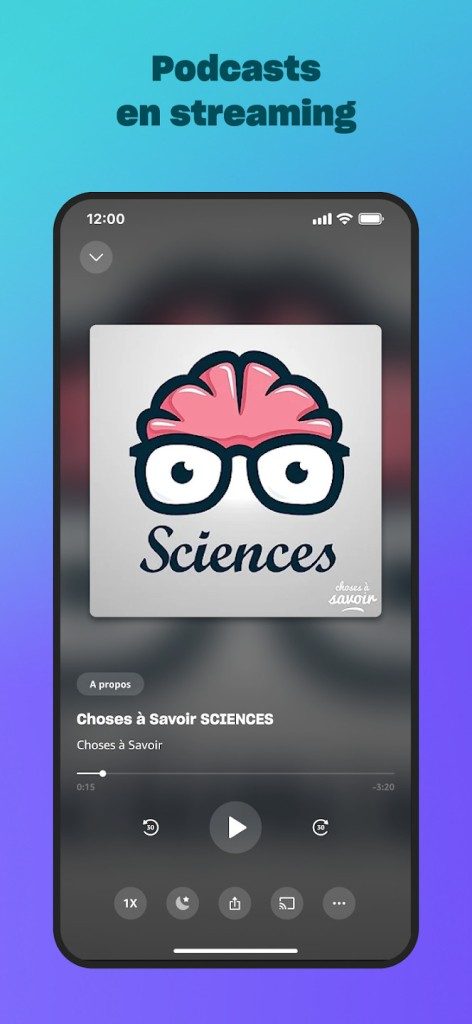
Checking device compatibility before you hit download saves headaches later. Amazon Music runs on a wide range of hardware, but the experience varies significantly depending on your subscription tier and the specific platform you are using.
Platform Support and Offline Access
The service spans Android, iOS, iPadOS, and watchOS. Desktop users aren’t left out with dedicated apps for Windows and macOS. You can also stream directly from a browser.
Offline listening is a key feature, but it’s gated by your plan.
- Free Tier : Limited ad-supported streaming. No offline downloads.
- Prime Music : Ad-free streaming for a curated catalog. Offline downloads included for Prime members.
- Unlimited : Full access to the massive library. Higher quality audio options. Offline downloads available.
- Family/Student Plans : Shared access with specific discount structures.
For mobile users, the app syncs seamlessly across smartphones and tablets. Apple Watch owners get a standalone experience, though storage limits apply. Desktop clients help manage downloads and organize local MP3 libraries more effectively than a phone screen allows.
Audio Quality and Spatial Features
Audio fidelity depends on your subscription level. Standard quality is sufficient for casual listening. But audiophiles should look closely at the higher tiers.
Amazon Music HD and Ultra HD offer lossless audio. This matters if you have high-end headphones or a good home stereo system. Spatial Audio is also supported on compatible tracks, adding depth to the listening experience.
The app handles both lossy and lossless formats. If you are buying music, those Amazon Music purchases stay in your library. You can stream them across devices. Local files on your device can also be played through the app, integrating your personal collection with the streaming engine.
Alexa Integration and Voice Control
Voice commands are built-in. If you have an Echo device or an Alexa-enabled speaker, you don’t need to touch your phone.
Search for songs. Play playlists. Change the ambiance. All via voice. This integration reduces friction. It’s particularly useful while cooking or driving. The sync between your mobile device and smart speakers is fast. Start a playlist on your phone, let it continue on the Echo in another room.
User Experience and Limitations
The interface is clean. Navigation is fluid. Recommendations are generally accurate, helping you discover new music without scrolling endlessly. Playlists are well-curated. Radio stations based on your taste work reliably.
However, there are drawbacks.
The pricing structure is confusing. Too many options. Prime, Unlimited, Family, Student. Each has different benefits. The free version is heavily restricted by ads and limited skips. Advanced features like Ultra HD audio require the top-tier subscription.
The interface pushes recommendations hard. If you prefer manual, granular organization of your library, you might find the algorithmic focus frustrating. It takes time to adapt.
The value proposition is average compared to competitors. But for existing Amazon Prime members, the inclusion of Prime Music is a strong perk. For those wanting the full catalog and high-fidelity sound, Unlimited is the way to go.
Who Should Download Amazon Music?
It’s a solid choice if you are already in the Amazon ecosystem. The integration with Alexa is seamless. The offline capabilities work well on mobile. Desktop clients add utility for library management.
If you demand absolute control over your playlist organization, look elsewhere. But for a unified experience combining streaming, purchases, and voice control, Amazon Music holds its own. The app works consistently on Android and iOS. The desktop apps fill the gaps for larger screen use.
Check your current device specs. Ensure you have enough storage for offline tracks. Decide which tier fits your budget. Then install.


The Hidden Cost of Convenience: Why Your Smart Home is Listening
You bought the speaker for the music. You didn’t realize you were buying a microphone that never sleeps.
This isn’t a conspiracy theory. It’s just how the hardware works. Every time you say the wake word, data gets uploaded. Cloud providers process it. Algorithms try to predict what you’ll do next. The convenience is real. The privacy cost is often invisible until it’s too late.
Who is actually hearing your voice?
It’s rarely a human sitting in a call center. At least, not for the majority of interactions. Automated systems filter the vast majority of recordings. They look for patterns. Spam. Junk. Noise.
But the exceptions exist.
Companies like Amazon, Google, and Apple have admitted to hiring “voice agents.” These are humans who listen to a small percentage of recordings. The goal is quality control. They want to improve the algorithms. They want to make speech recognition sharper.
“A small fraction of voice recordings are reviewed by human contractors to help improve the accuracy of our services.”
That’s the official line. The reality is fuzzier. You don’t always know if your recording was flagged. You don’t know when it was reviewed. Or why.
The data trail doesn’t end at deletion
You think you deleted the clip. You pressed the button. The file vanished from the app.
Here’s the catch. The metadata remains.
Timestamps. Location data. Device ID. The volume of the audio. The frequency of commands. These fragments paint a picture of your life. Even without the voice itself, the patterns reveal habits. Sleep schedules. Presence in the home. Emotional tone.
Agencies can reconstruct a lot from silence.
Why does this matter to your wallet?
Insurance companies are watching. Not directly, but indirectly.
Data brokers sell insights. If your smart thermostat shows you’re always away, or if your voice assistant picks up frequent searches for pain medication, that profile gets sold. Premiums go up. Offers change.
It’s not illegal. It’s just business.
How to silence the smart machine
You can’t unplug everything. But you can push back.
- Mute the mic. Most devices have a physical button. Use it.
- Delete history. Do it weekly. Don’t wait for the auto-clear setting.
- Check permissions. Does the flashlight need access to your microphone? Probably not.
- Use offline mode. Some newer chips process data locally. Look for that feature.
It’s not perfect. It’s not total safety. But it’s a start.
The paradox of connection
We want the tech to work. We hate when it fails. So we give it more data. More access. More trust.
It’s a bargain we didn’t read.
The devices are getting smarter. The regulations are lagging. And the servers are filling up.
What happens when the prediction engine gets so good it starts nudging you? Not just suggesting ads. But shaping choices. Buying habits. Even relationships.
We haven’t reached that point. Not yet.
But the wire is already laid. The current is already flowing.
You’re just deciding whether to jump in.