



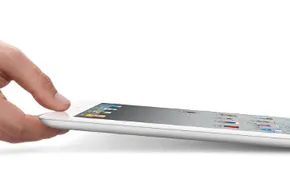
The iPad is more than just a slab of glass and aluminum. Pocket media center. The ultra-bright LED screen offers a crystal-clear video, gaming and browsing experience. But what about the actual power? It’s in the connectivity. Want to see those family photos on your big HDTV? You can send them. Want to get images off the device? This is where it gets tricky. This process varies greatly depending on whether you’re transferring files from your computer to your iPad or vice versa. Yes, the method is different if you are using Windows or Mac.
Let’s talk about “transferring” photos from PC to iPad. Requires iTunes. If you want the standard sync route, It’s not optional Connect your device with a data cable. Open iTunes. Click on the small iPad icon that appears below the list of devices in the left sidebar.
Sync photos via iTunes
When you see the device overview, click on the Photos tab. You will see the Sync photos from. check box. Check it.
Next, you need to select a source. Click Choose folder from the drop-down menu. Go to the directory on your computer where the pictures live. Select it. With iTunes, you can select specific albums or dump everything. In the lower right corner, click Apply or Sync. Wait for the progress bar. Done. The pictures are now on the iPad.
This is not the fastest workflow. But it works. If you don’t like cables, you can buy a third-party photo transfer app. These usually allow Wi-Fi transfers without connecting to a computer. It’s the paid convenience of wireless freedom.
Transfer photos from iPad to PC
The reverse process is easier, but there are caveats. Connect the iPad to the computer via USB. In Windows, the system usually recognizes the iPad as an external hard drive or media device. You may get a prompt asking what to do. Choose to open the device to view files.
Then you can drag and drop. Or just copy. The files are accessible. You don’t need iTunes to do this on Windows. Just plug in. Browse. Copy.
Is it seamless? Not really. But it’s functional. The iPad holds your memories. Your computer holds your backups. Bridging this gap is just a matter of which cable to use and whether iTunes is in the way.