





You can blame the decline in telephone clarity on loud rock concerts, noisy offices, or just bad genetics. For many, especially Baby Boomers, the audio through a standard receiver has dropped to an unintelligible murmur. For those with profound hearing loss, the issue isn’t just volume; it’s finding a telecom system that actually bridges the gap to the hearing world.
The demographics are stark. Roughly 30% of people over 60 suffer from hearing loss. That number jumps to 50% for those over 85. It’s not just the elderly, though. An estimated 10% of Americans aged 20 to 69 have already sustained permanent damage from excess noise at work, home, or through hobbies like woodworking, snowmobiling, or playing in a band.
Regardless of severity, dedicated hearing-impaired telephones can transform a frustrating conversation into a productive one. A basic phone amplifier can crank up the volume, sharpen the sound, and filter out that distracting background hiss.
Then there is the telecommunications device for the deaf (TDD). Also known as a text telephone or TTY, this gadget lets deaf or hard-of-hearing users type messages that convert to speech for the person on the other end. It enables communication with hearing friends, facilitates business operations, and allows access to 800 numbers and other standard phone services. In Europe, you’ll hear it called a textphone; in the UK, it’s a minicom.
Traditional telephones are one option, but newer technologies are shifting the landscape. Telephone relay services connect TDDs to the wider phone network. Modern variations like Internet protocol (IP) relay, video relay service, and IP captioned telephone service can bypass the TDD entirely. All you need is a computer with web access.
Which option fits your specific needs? How do you navigate the market to find the right fit? Let’s start with the most accessible upgrade: telephone amplifiers.
How Telephone Amplifiers Work
The simplest entry point for improving telephone audio is a dedicated amplifier unit. These devices plug directly into your existing landline phone or are built into hearing aid compatible handsets. They don’t just make things louder; they target frequency ranges that are often hardest for aging ears to catch.
Most amplifiers offer adjustable volume controls, sometimes with separate dials for low and high frequencies. This granularity matters. Age-related hearing loss, or presbycusis, typically affects high pitches first. A one-size-fits-all volume boost just adds distortion. A good amplifier clarifies speech while suppressing the static that often accompanies high-gain settings.
Some models include a “telecoil” or T-switch. This feature pairs your phone with the magnetic field inside a hearing aid, bypassing external noise entirely. If you wear hearing aids, this is often the difference between hearing the caller and hearing the hum of the refrigerator next to you.
For those without hearing aids, look for phones with a high amplification rating. The FCC requires telephones sold in the US to meet certain amplification standards. Look for the “H” rating. An “M” rating means it is compatible with magnetic pickups (like those in older hearing aids), while “T” means it works with telecoils. An “H” rating covers both.
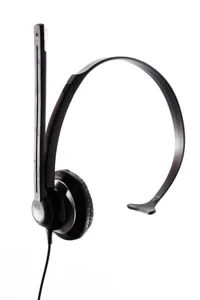
When maxing out the volume on a smartphone doesn’t cut it for clear conversation, a phone amplifier becomes a practical necessity rather than a luxury. These devices bridge the gap between standard audio output and the specific needs of hearing-impaired users. The market offers several distinct pathways to better sound, ranging from simple add-ons to fully dedicated telephones.
In-Line Phone Line Amplifiers
For users with traditional landlines, an in-line amplifier plugs directly between the handset and the base. The Ameriphone in-line phone amplifier is a prime example, retailing around $35. It boosts audio levels by up to 40 decibels.
Beyond raw volume, these units are engineered for clarity. They filter out feedback loops and background noise while amplifying specific speech frequencies. This makes homophones—words that sound alike but differ in meaning—easier to distinguish. The form factor is usually compact, allowing for easy portability if you need to take it to a friend’s house or a hotel room.
Portable Amplifier Units
If you frequently switch between different phones, a portable unit offers flexibility. Priced between $20 and $30, these devices attach to a headset without requiring you to unplug and replug phone lines every time.
The Reizen Portable Phone Amplifier illustrates this approach. By turning a dial on the device, you can increase volume by up to 30 decibels. It’s a low-cost solution for anyone who needs temporary amplification on various landline systems without committing to a new phone.
Dedicated Amplified Telephones
For a more permanent solution, dedicated amplified phones integrate the technology into the hardware. These are available for both corded and cordless landlines. Users adjust volume via a dial or button on the phone itself, with some models offering a separate handset boost.
The ClearSounds CSC50 is a corded option that delivers a total of 50 decibels of amplification. This comes from 40 decibels via the phone’s internal system and an additional 10 decibels from the handset. Priced at roughly $160, it also includes caller ID and a speakerphone function.
Cordless options are pricier, typically ranging from $180 to $280. At the entry level, the Clarity 2.4 GHz cordless phone costs $180. It provides up to 30 decibels of amplification, along with caller ID and a visual ringer. Additional handsets run about $100 each.
For those needing more power, the Clarity 5.8 GHz model costs $280. It amplifies sound by up to 50 decibels and adds advanced features like multiband compression, noise reduction, and acoustic echo cancellation to keep conversations crisp.
If you want to avoid replacing your entire phone, an amplified handset might suffice. These replace the standard receiver and cost between $50 and $150. Models like the Walker W60-K-M-00 offer a cheaper upgrade path than buying a whole new telephone.
Cell Phone Solutions and Hearing Aid Compatibility
Cell phones present a unique challenge. The radio frequency signals they emit can interfere with hearing aids, causing buzzing or static. However, most modern hearing aids include a telephone coil, or T-switch, which acts like an antenna. When activated, it allows magnetic signals to pass directly from the phone to the aid, bypassing external interference.
To address this, the Federal Communications Commission (FCC) has mandated since 2005 that carriers provide hearing aid compatible models. Phones are rated on a scale of 1 to 4 for two settings:
* M (Microphone): How well the phone works with the hearing aid’s microphone setting.
* T (Telephone Coil): How well it works when the T-switch is active.
Phones rated M3 or T3 (good) or M4 or T4 (excellent) are considered hearing aid compatible. You can identify these devices by looking for an icon on the phone or its packaging indicating the M and T ratings.
When Amplification Isn’t Enough
For users who find that volume amplification still doesn’t provide sufficient clarity, text-based communication offers an alternative. This is where TDD, TTY, text phones, or minicom systems come into play. These technologies convert voice audio into text for transmission and receive incoming text to display on a screen.
Understanding how TTY and TDD technology works is the next logical step for those who need to move beyond audio solutions entirely.

The deaf and hard-of-hearing community has relied on a text-based communication system over telephone lines for decades. Known as TTY technology, or by acronyms like TDD (Telecommunications Device for the Deaf), textphone, or minicom, this infrastructure has been vital since the 1960s. It reduced isolation by connecting users with each other and with hearing individuals. Today, roughly four million people in the United States use these devices.
How the Hardware Operates
A TTY unit looks like an early laptop. It has a keyboard, a small display screen, and a built-in modem. Here is the process:
- The user types a message.
- The device converts letters into electrical signals.
- These signals travel over traditional phone lines.
- The receiving TTY converts the signals back into text.
The text appears on the recipient’s screen or prints out. The device uses a flashing light or a vibrating wristband to alert the user that a message has arrived. Some units even include answering machine capabilities.
The Origin Story
Robert Weitbrecht, a deaf scientist, is responsible for the technology’s existence. In 1964, he invented an acoustic coupler. This allowed a TTY to connect to a standard telephone handset.
Early versions were massive and heavy. In 1967, there were only 25 TTY stations. By 1969, that number grew to 600. As electronics improved, the units shrank in size, cost less, and became more common. Developers eventually integrated digital technology, allowing computers to interface directly with analog TTYs using voice-capable modems and digital signal processing software.
The Digital Threat
Newer communication tools are challenging the dominance of TTY technology. Users can now send emails, text messages, instant messages, e-pager alerts, and electronic faxes from a computer with internet access—no TTY required. Add a web camera and Voice over Internet Protocol (VoIP), and two deaf people can sign to each other in real time.
Smartphones have accelerated this shift. BlackBerry devices, iPhones, and other mobile phones allow texting and instant messaging almost anywhere. Video phones let users record and send signed messages. Vibrating alerts on mobile devices make it easy to know when a message arrives without relying on visual or auditory cues.
Why TTY Still Matters
Is TTY technology obsolete? Not entirely.
Many users have relied on TTYs for years. They are comfortable with the interface and prefer it to newer computer or mobile technology. There is also a practical argument for keeping a basic TTY at home for emergencies.
Unlike smartphones and computers, TTYs do not depend on electrical power grids for operation in the same way. They rely on the telecommunications grid. If a power outage hits your area, you can still send and receive messages with a TTY unit. This makes them a reliable backup when digital infrastructure fails.
Where to Find One
If you need a TTY unit, finding one is straightforward. A search for “TTY” on major search engines reveals companies selling these devices. Prices typically range from $250 to $600.
Gallaudet University, which provides higher education for the deaf and hard of hearing, maintains a list of vendors. This list includes manufacturers of TTY units, modems, and compatible software.
Communicating with Hearing Individuals
TTY units allow people who are hard of hearing to communicate with each other directly. But talking to hearing individuals requires an intermediary. This is where Telecommunications Relay Service (TRS) comes in.
TRS is a free service that facilitates communication between TTY users and people using standard voice telephones. A relay operator reads the voice message to the TTY user and types the TTY user’s text for the hearing caller. Related telephone relay services function similarly, bridging the gap between analog text systems and modern voice networks.
The transition to digital communication is complete for many. But for others, the hum of the modem and the clack of the keyboard remains the most reliable way to stay connected. Especially when the lights go out.

If you don’t own a TTY unit or TDD, telephone relay services fill the gap. They let you talk to someone who is deaf or hard of hearing by phone. The Americans with Disabilities Act mandates these services. The FCC regulates them. You can use them in English or Spanish. They started as basic translation services. Now they use heavy electronic tech.
How the National TRS Works
The national Telecommunications Relay Service (TRS) is free. It runs 24/7. It handles voice-to-TTY and TTY-to-voice calls. Each state has various relay providers.
The process is simple. A caller dials 7-1-1 from any TTY or standard phone. They connect to a communications assistant. This person relays the message. A hearing caller speaks. The assistant types the message. The deaf recipient reads it on a TTY screen. The recipient types back. The assistant reads that to the hearing caller. The loop closes.
Why IP Relay Matters for Modern Users
TRS handles calls from computers too. This is IP relay. It uses a computer and modem instead of a TTY. The call goes from your device to an IP relay center. You usually access it via a web page.
The communication assistant takes the message. They send it through the switched telephone system. They convert it to text or speech. It depends on whether the recipient can hear. There is no extra charge for IP relay calls.
IP relay has clear advantages. You can use any device with Internet access. Transmission may be faster. You can make multiple calls. You can join conference calls. You can browse the web while on the line.
Video Relay Service Adds Visuals
Video relay service is the newest option. It adds visuals to the conversation. You need a high-speed Internet connection. Once established, a sign language interpreter steps in. The interpreter reads the signed communication from the hard-of-hearing caller. They speak the message to the hearing recipient on the phone.
Gallaudet University provides info on both IP and video relay services.
TTY and Relay Codes
Knowing these codes helps if you’re typing through a relay.
- GA = Go ahead
- SK = Stop Keying
- GA to SK = Ready to hang up
- SKSK = Hanging up now
- Q or QQ = Question
- XX = Misspelled last word
For more on hearing impaired telephones, check the links on the next page.