




The name might sound like a contradiction, similar to a jazz track called “Ugly Beauty,” but transposing electrical signals into light waves works surprisingly well. It isn’t a glitch in the system. It is simply the next interval in audio evolution, as progressive as Thelonious Monk’s weirdest compositions. We went from mono to stereo, then surround sound, and finally from analog to digital high-def. The beat goes on.
The clutter at the back of your TV
Once upon a time, TVs and stereos were just heavy pieces of wooden furniture. They were self-contained units. Inputs were limited to an antenna hookup and a speaker jack.
Today, you stare at a wall’s worth of tuners, amplifiers, game consoles, DVRs, and DVD players. You might even keep a VCR and a cassette player you haven’t plugged in since 2004. The backs of our entertainment systems resemble a 1960s Manhattan switchboard. It is messy.
Why so many jacks? Because you would not pipe Pellegrino through rusty municipal plumbing. There is no point in sending high-fidelity audio through low-fidelity jacks, wires, and electronics. As companies invent better audio and video standards and storage media, they add new ways to send signals crisply from gear to ear.
Where the TRS connector came from
The first analog audio jack, the triple contact plug or TRS connector, was adapted from telephone exchange jacks. The t ip, r ing, and s leeve design used three insulated sections of the prong to handle the left channel, right channel, and ground, respectively.
That design was so successful it is still widely used today.
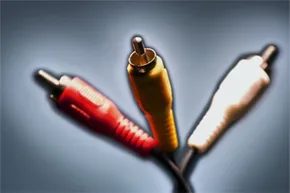
The RCA jacks debuted with the Radio Corporation of America in the late 1940s. They did not climb to the top of the charts until the early 1970s. Like the Supremes, these plugs come in groups of three, typically red, white, and yellow. Each consists of a signal-carrying pin encircled by a ground ring. Other versions of RCA jacks carry composite and component video, as well as digital audio.
Comparing cable types
Component and composite cables carry video signals but no audio.
- Composite cables, usually designated by a yellow RCA jack, pack all video info into one signal.
- Component cables split that info into three channels across three plugs.
Both require a separate cable to handle audio. This brings us back to RCA jacks and other copper-wire solutions. And an alternative: optical audio.
Why copper wires fail
Copper-based wires contend with two problems to varying degrees, depending on shielding and quality:
- External electromagnetic noise interfering with the signal.
- Resistance in the wires degrading the signal over distance.
Optical audio is immune to the first issue. It can be free of the second if the cable quality is high enough. But it has its own share of problems.
Why HDMI Wins on Paper, But Loses in Reality
HDMI handles the heavy lifting. It moves uncompressed 1080p video and eight channels of digital audio through a single connector. The bandwidth is massive: 10.2 gigabits per second. That speed lets it carry uncompressed Dolby TrueHD or DTS-HD MA without squeezing the data.
Optical audio cables sit in the shadow of that spec. They manage 6.1 and 7.1 channels, sure, but the transfer rate caps out between 20 and 125 megabits per second. That bottleneck forces compression. You are stuck with Dolby Digital, DTS, or two-channel PCM. If you want the lossless surround sound found on high-end Blu-rays, HDMI is the only option.
But specs do not always match real-world performance.
The Hidden Risks in Optical Connections
Plastic optical cables are brittle. Glass versions are sturdier but harder to work with. The bigger issue is the conversion process.
A transmission module turns the electrical signal into light. In Toslink, that is an LED inside a drive circuit, usually routed through plastic fiber. ST Fiber Optic swaps in glass fiber and a red laser at a 680-nanometer wavelength. At the other end, a light reception module flips that light back into digital data.
That back-and-forth conversion introduces errors. Sometimes the signal drops. Sometimes it glitches. You hear a stutter in the dialogue right in the middle of a quiet scene. It is frustrating, and it happens more often than manufacturers admit.
The truth is in the ear of the listener.
Audiophiles argue about this constantly. One camp says HDMI is cleaner because it is copper-based and handles uncompressed data. The other camp defends optical for its immunity to electromagnetic interference. Copper cables pick up noise from power lines and other electronics. Optical fiber does not. If your setup sits near a noisy power supply or a crowded rack of gear, that isolation might be the deciding factor.
Is Optical Audio Still Worth It?
Price used to be the killer feature. Optical cables were cheap. HDMI was expensive. As of 2012, that gap closed. Low-end HDMI cables dropped to competitive prices. High-end ones remain pricey, but the average user can grab a decent HDMI cable for a few dollars.
So why keep the optical port?
Broadcast, cable, and satellite TV do not currently offer the high-quality soundtracks that require HDMI’s bandwidth. The uncompressed audio is locked behind Blu-ray discs. If you do not watch Blu-ray, the benefit of HDMI is mostly theoretical. You are not going to hear the difference between Dolby Digital and Dolby TrueHD if your source material does not contain the latter.
For everyday users, optical remains a viable backup. It is simple. It works. And for stereo or standard surround setups, the sound quality is more than acceptable. The brittleness and conversion errors are annoyances, not deal-breakers, for most people.
The laser light show is messy, tangled, and occasionally unreliable. But it still gets the job done.